You can now filter planning applications by what they actually are. New homes, extensions, change of use, commercial and major works, listed buildings, trees and landscaping, solar and renewables, telecoms masts, demolition, agricultural, signs and adverts, community, utility infrastructure, and shopfronts. Fourteen categories in total.
It sounds like a simple feature. Or at least, it does until you try to get it to a standard you're happy with.
Council planning data is unstandardised. Every authority writes application descriptions differently, with different abbreviations, formatting, and conventions. A single application can cover several types at once, like a demolition combined with a new build, or a change of use bundled with an extension. On top of that, councils log thousands of administrative notices, procedural updates, and document submissions that look like applications but aren't really what people are searching for.
We started somewhere around 90% accuracy and refused to ship. Every additional percentage point was a challenge. Borderline applications, mixed-type proposals, ambiguous wording, council-specific quirks. We rebuilt the system several times before we were happy with it.
Today we're at over 99% accuracy across our full database of new applications. The small number that don't get a category are usually council-side issues, like an entry with no description, or a procedural notice that genuinely isn't an application. We'd rather take longer to get it right than launch something that quietly hides applications you'd want to see.
To measure that, we test the classifier against a sample of 500 applications that we've categorised by hand. Each one is read and labelled manually, then compared against what the classifier produced, so the accuracy figure is grounded in a real human-graded benchmark rather than an estimate. We re-run the test as we make changes, which is how we keep it above 99%.
Powerful, but friendly
On the homepage, tap the type pill before you search to narrow your results from the start. On any council, town, postcode, or search page, tap Filter to choose one or more categories and the map and list update instantly.
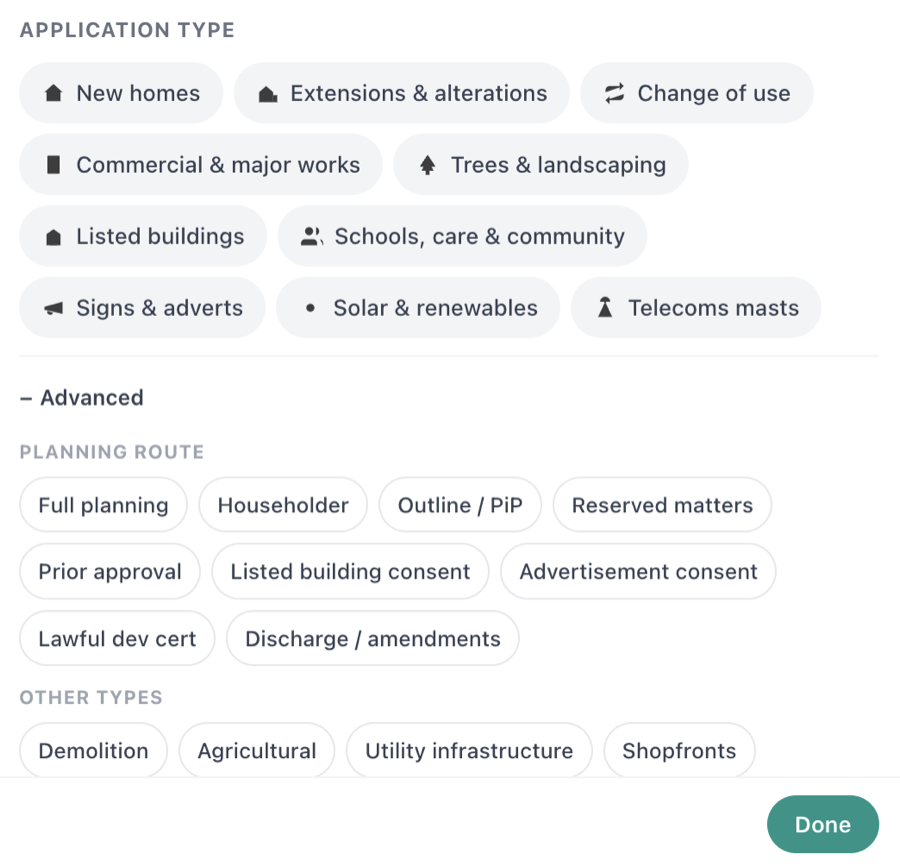
Active filters show as chips next to the button so you always know what you're looking at, and the URL updates too, so you can bookmark or share a filtered view.

It plugs into alerts as well. If you only want new homes inside your drawn boundary, or just listed building consents in a town you care about, that's now one tap away.