Track applications
Track a planning application
Follow any UK planning application and get an email when it changes. Plota watches the council record for you - the status, the decision, and the documents - and tells you when something happens, on the same day the council publishes it.
Find the application
Search by postcode, street, town, or council, or paste the application reference. Plota covers 389 UK planning authorities.
Press Track application
On the application page, press Track application and enter your email. That's it - no account setup, no forms.
Choose your updates
Pick what to hear about: status changes, the decision, new documents. Manage everything from your My areas dashboard.
The application page
The whole application on one page
Every tracked application has a page showing the outcome, a progress timeline built from the dates on the council record (received, validated, consultation, decision), the documents grouped by type, and the details: ward, parish, case officer, target decision date, decision level, applicant, and agent.
While an application is open for comments, the page shows the deadline with a direct link to have your say. Once decided, it keeps the final record: the outcome, the decision notice, the full document set.
See what application pages include →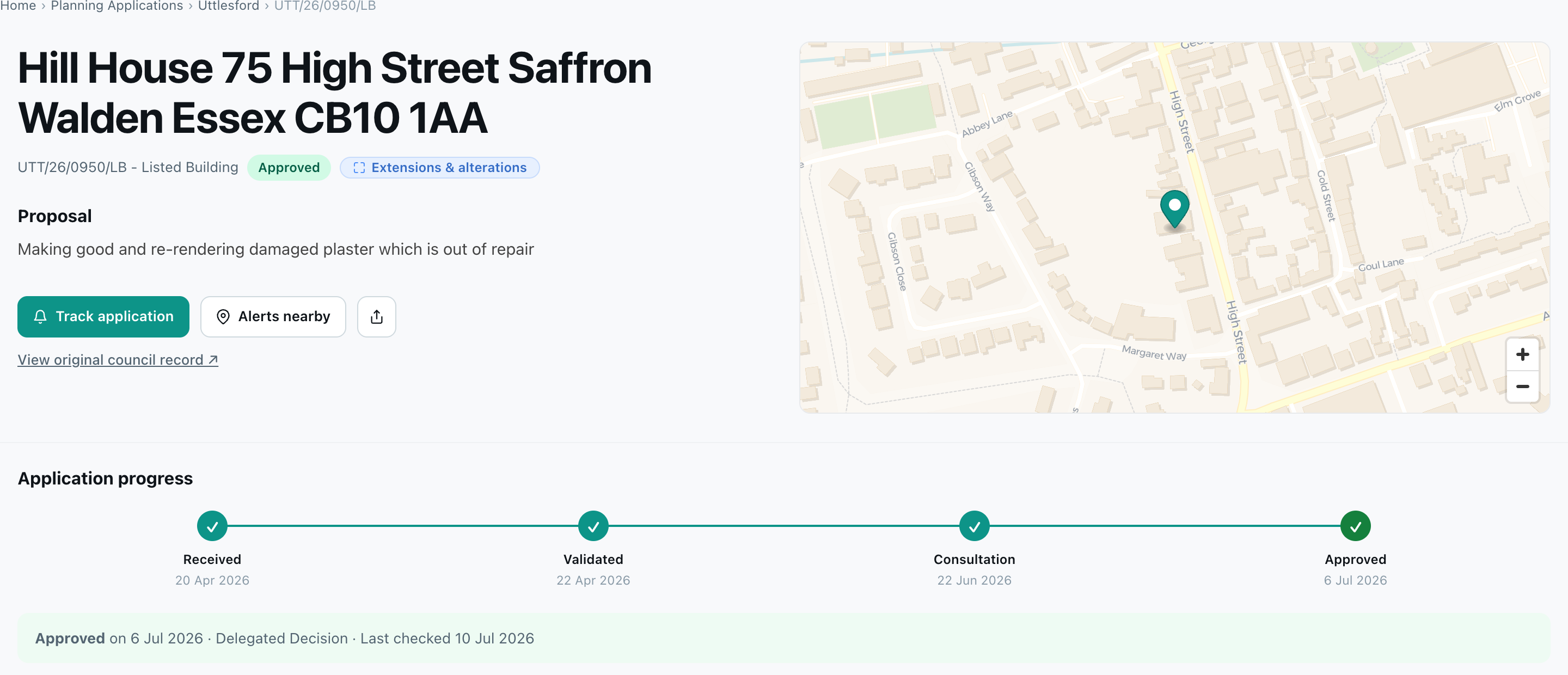
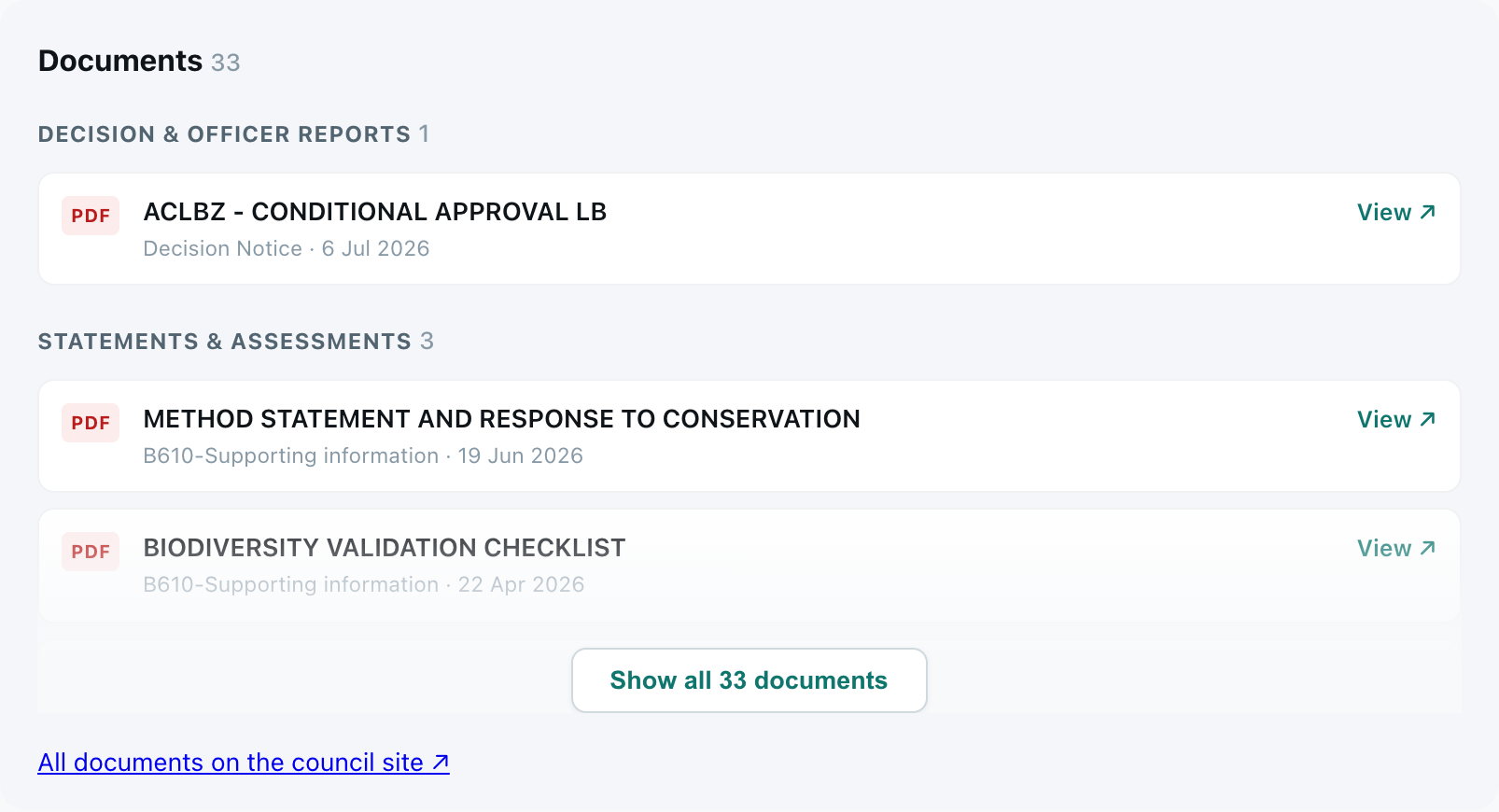
Decisions & documents
Know when the decision lands
Plota re-checks open applications on a rolling schedule - as often as every day when a decision is due - and each page shows when it was last checked. When the council publishes the decision or adds a document, you get an email the same day.
Watching a wider area rather than one application? Planning alerts cover a postcode, council, or custom drawn boundary.
How Plota works →Find an application to track
Search a postcode, street, town, or council. Open any application and press Track application.
FAQ
Frequently asked questions
How do I track a planning application?
Find the application on Plota - search by postcode, street, town, council, or reference - then press Track application on its page and enter your email. Choose what to hear about: status changes, the decision, or new documents. Everything you track is managed from the Tracked applications tab in your My areas dashboard.
How do I find out if a planning application has been approved?
Open the application on Plota. The page shows the outcome - approved, refused, or withdrawn - with the decision date and how it was decided (delegated or committee), plus a progress timeline from received to decision. If it hasn't been decided yet, track it and Plota emails you when the decision lands.
Can I see planning application documents online?
Yes. Application pages on Plota list the documents grouped by type - decision notices, officer reports, statements, plans and drawings, and forms - each linking to the file on the council's register.
How quickly do I hear about changes?
Plota re-checks open applications on a rolling schedule, as often as every day when a decision is due. Update emails arrive on the same day the council publishes the change.
How many applications can I track?
Up to 10 per email address. You can stop tracking one at any time from your My areas dashboard to make room for another.
Is tracking free?
Yes. Searching, browsing, tracking applications, and area alerts are all free.