Why we built it
The established land tools are sold by the seat. Their published prices run from about £50 to more than £350 a month for each person, and some are billed for a year. Many of them want your email address, a trial or a booked demo before you can run a search.
Plota Sites, land search and site sourcing for England and Wales, works the other way round:
- free to search, with no trial and no seat licence;
- started by describing the site you want, in your own words;
- usable on a phone at the field gate as well as at a desk.
Every figure says where it came from and how old it is, and every rating says what has not been checked.
Straight in, no demo
You should not need an hour with a sales rep to find out what a land search can do. Type the site you are looking for, as you would describe it to a colleague. Plota Sites turns the description into filters and shows each one as a chip you can change or remove, and the results arrive on the map and in a list.
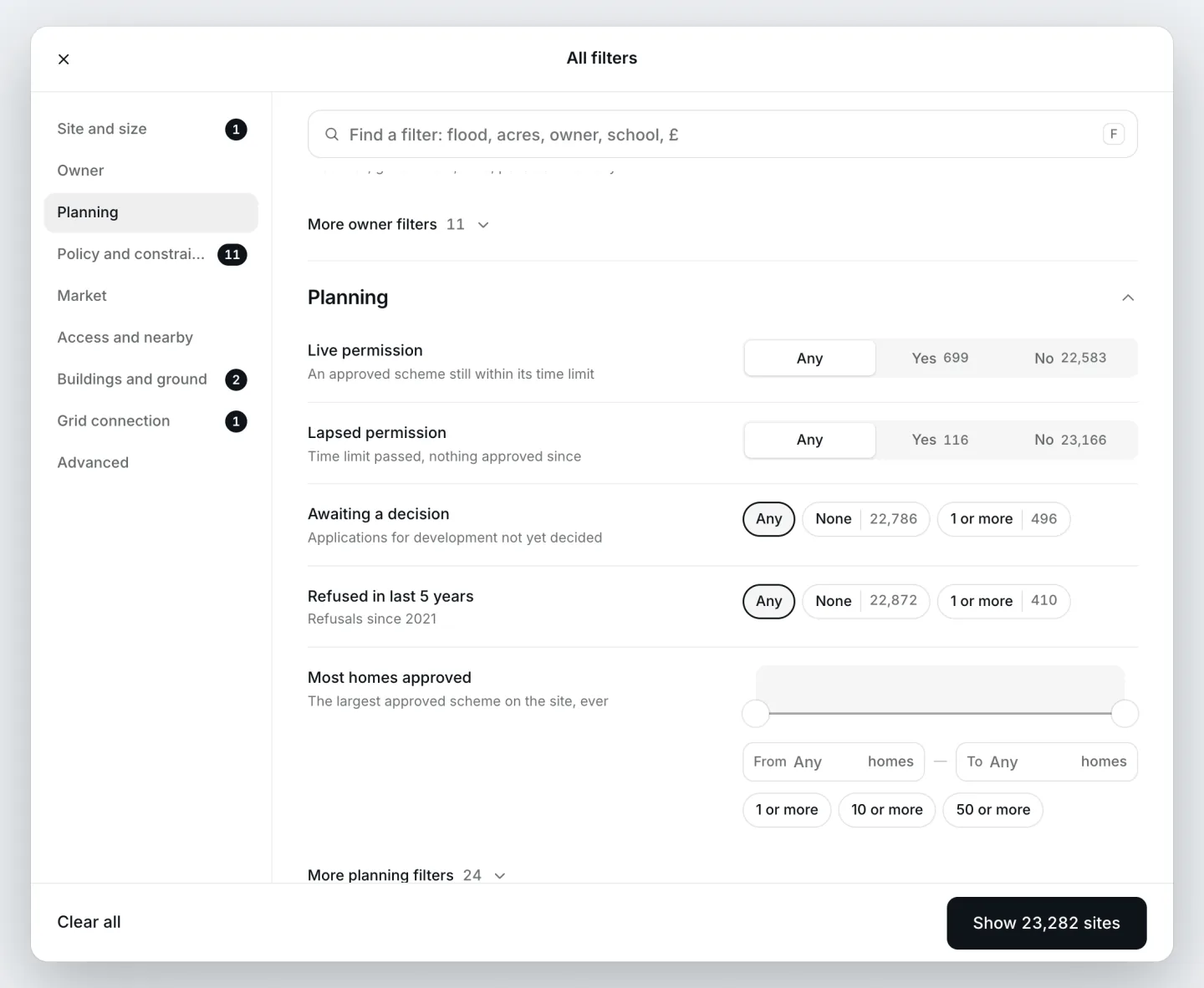
Simple to start is not the same as shallow. Under the search box are hundreds of filters, 76 constraint layers measured as a share of each site, the spare capacity at the nearest substations, company owners and the planning history on and around every parcel. All filters opens the lot, grouped as a land buyer would look at a site.
What we do differently
Ten things to ask of any land sourcing tool, ours included, and how Plota Sites answers each one today.
- Search before you sign up
No demo to book, no sales call, no card. Open Plota Sites and search. See how
- Free to search
Searching, every site's view and its report are free, with no trial and no seat licence. Bulk data and the API are the paid side. See how
- Works in a field, not just at a desk
Search, filter and open a site's full record on your phone, standing at the gate. See how
- Saved searches that show what is new
A saved search marks the sites that are new since you last opened it. See how
- Recipes, not a GIS course
Ready-made searches for each kind of site, from small plots and grey belt to solar farms and care homes, that set the filters for you in plain words. See how
- Grid capacity, no upgrade needed
The nearest substation on every site, and its spare capacity wherever the operator publishes it (94% of England and Wales), in the free search. See how
- Planning history, included
Applications on and around every site, each linked to the council's own register, in the free search. See how
- Premises licences, not just planning
Premises licences and applications at an address, for alcohol, late-night refreshment and gambling, from the councils' own registers, and HMO licences too. They sit on Plota beside planning, not in the site view. Search licensed premises
- Your whole team, no per-seat bill
Share saved sites and a pipeline with colleagues. Today there is no charge for each person you invite. See how
- Every figure shows where it came from
Open any number to the records behind it, their source and the date they were last updated. See how
Describe the site in your own words
Shows 1. Search before you sign up
The smart search reads sizes in acres, hectares or square feet, distances in miles or metres, places from a village to a county, and the constraints you want to stay clear of. It sets the filters, and the search runs exactly as if you had set each one by hand. If part of a description cannot be turned into a filter, the search says which part it left out.
You do not need an account to use it. The searches, the map and every site's view and report work without signing in.
Start from a recipe
Shows 5. Recipes, not a GIS course
67 recipes set the filters for one kind of site each, in 10 groups: housing land, strategic land, conversions, commercial and industrial, living sectors, energy, telecoms, nature, motivated owners and planning history. Each states the rule it applies, and every filter it sets can be changed.
Among them: small sites for housebuilders under half a hectare, brownfield sites beyond the council's register, green belt edge sites to assess as grey belt, land for solar farms, battery storage sites next to a substation, care home sites and lapsed permissions.
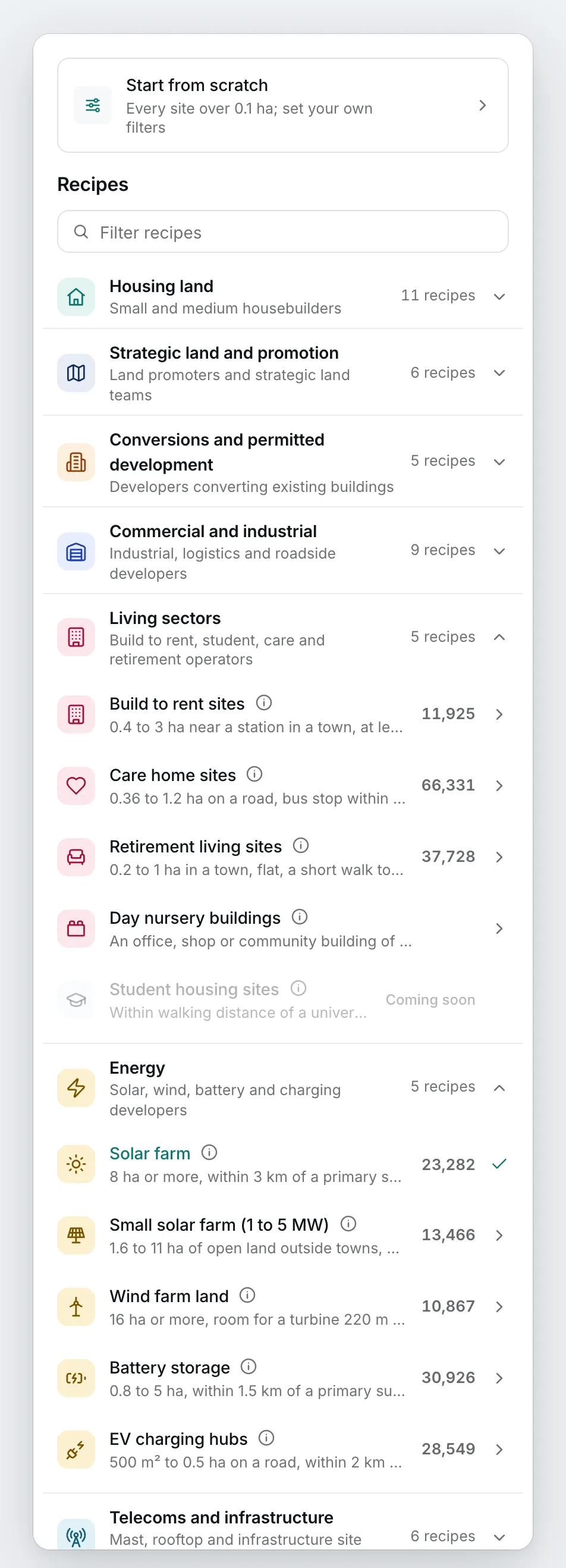
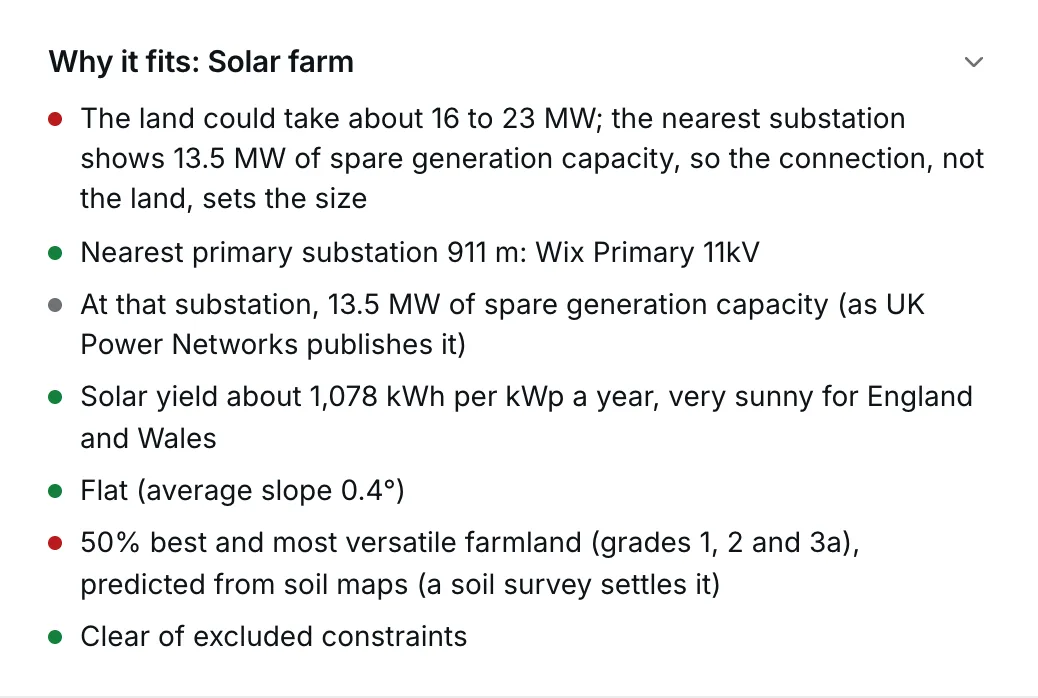
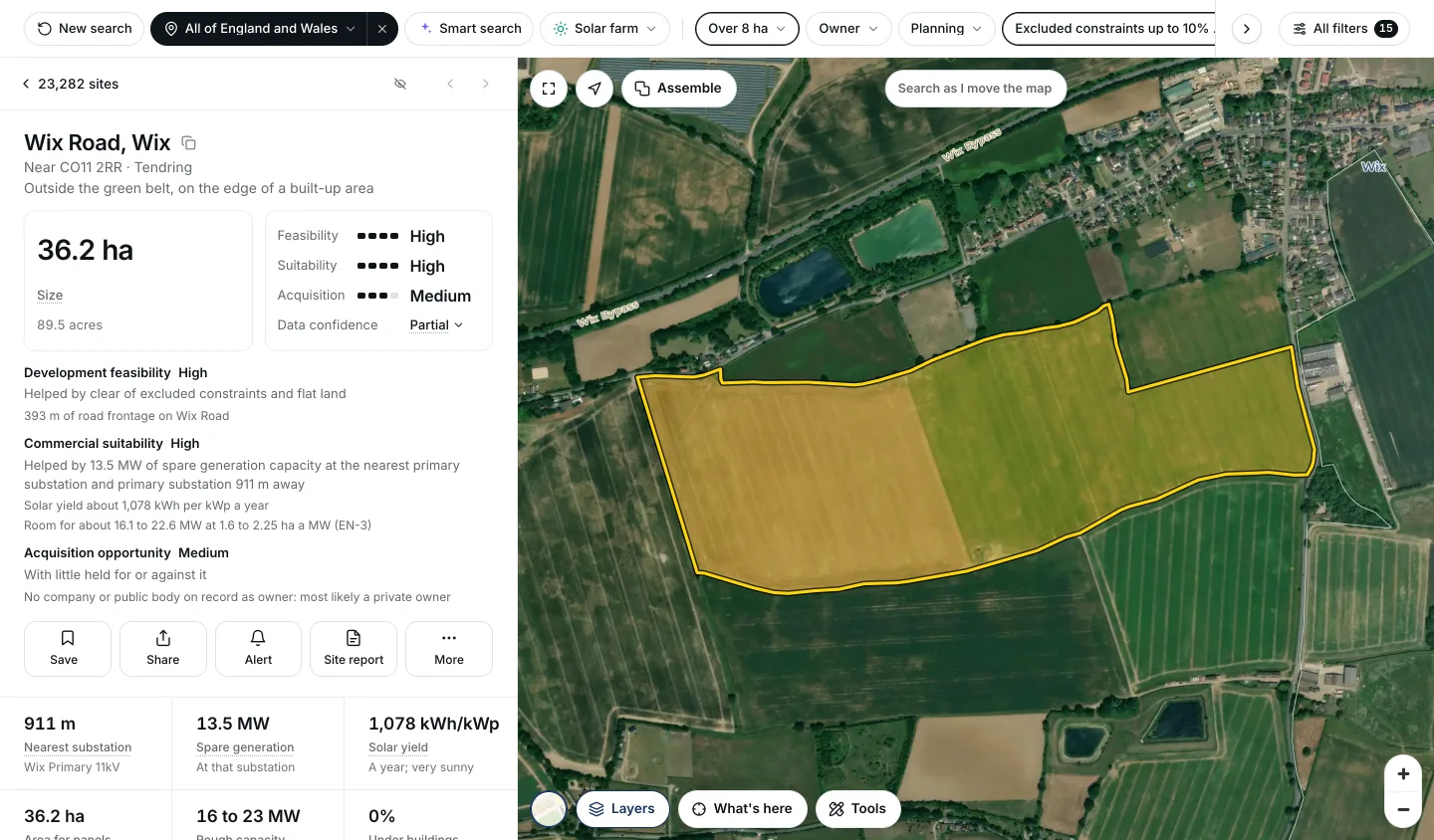
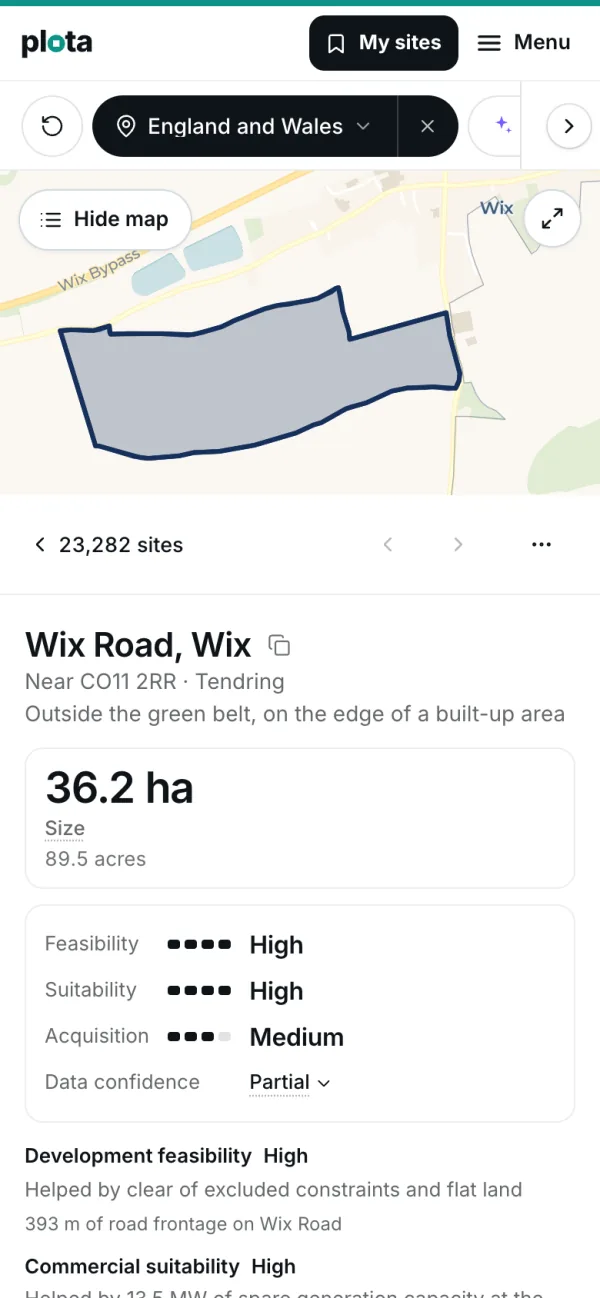
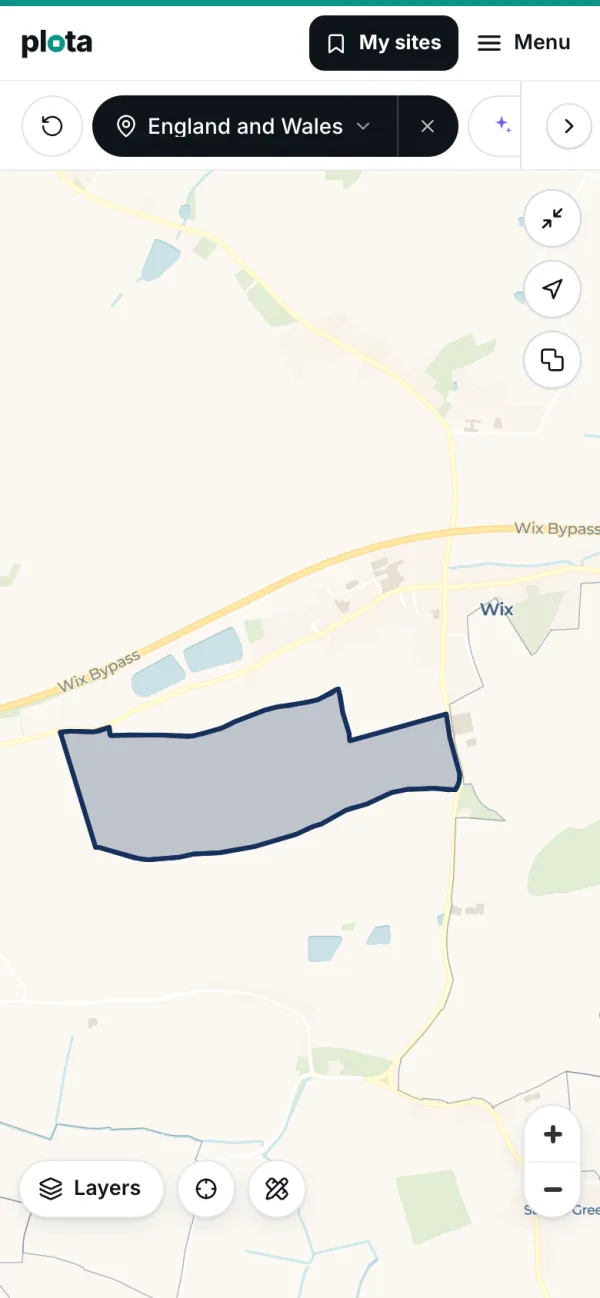
The solar recipe looks for 8 hectares or more, within 3 km of a primary substation, on a slope under 5 degrees, outside the best farmland and protected landscapes, and not water, an airfield or an existing solar or wind farm. Among the fields it puts forward is 36 hectares of open arable land at Wix, in Tendring, Essex: 911 metres from a primary substation with 13.5 MW of spare generation capacity, a solar yield of about 1,078 kWh per kWp a year, and room for roughly 16 to 23 MW.
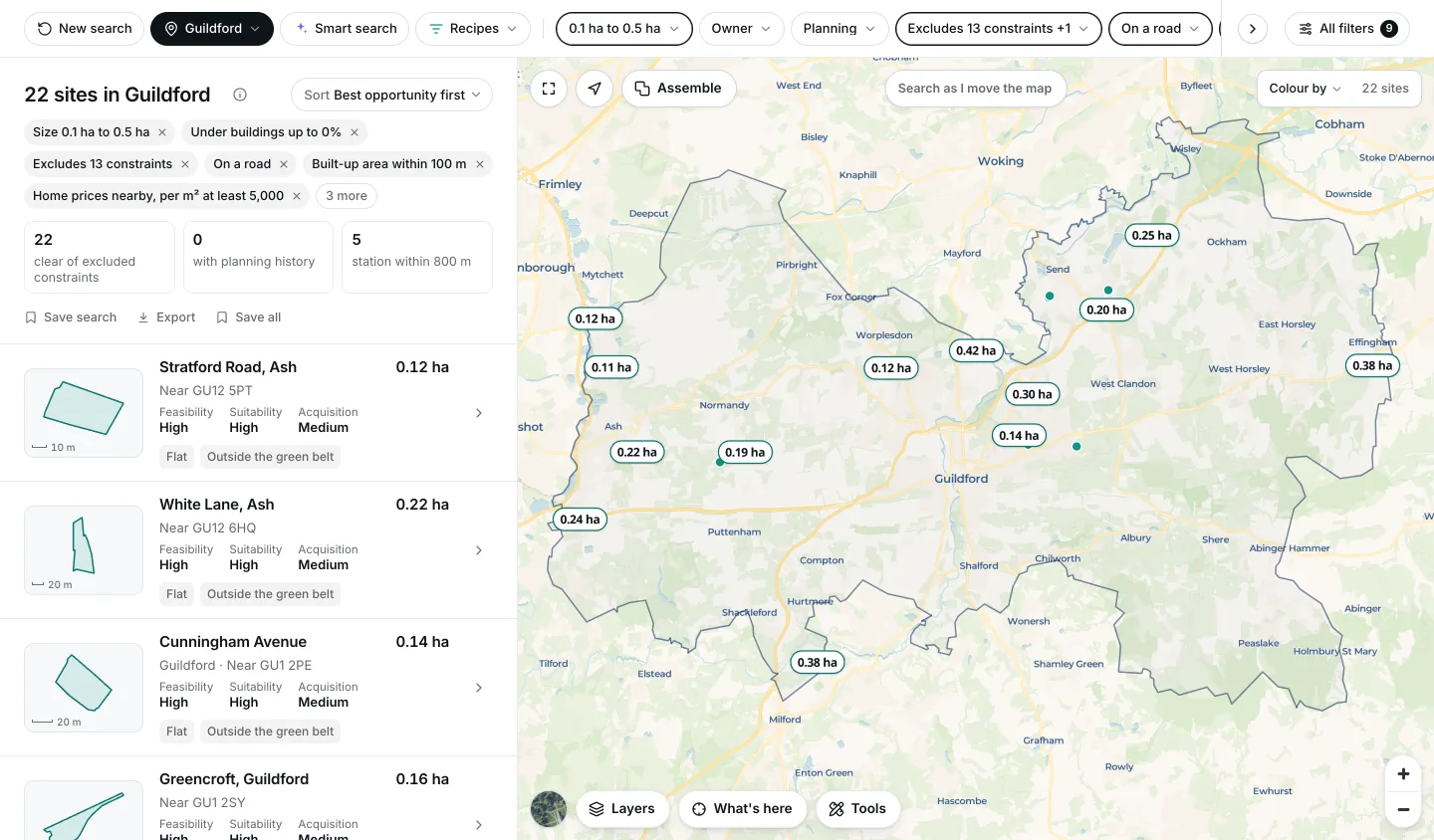
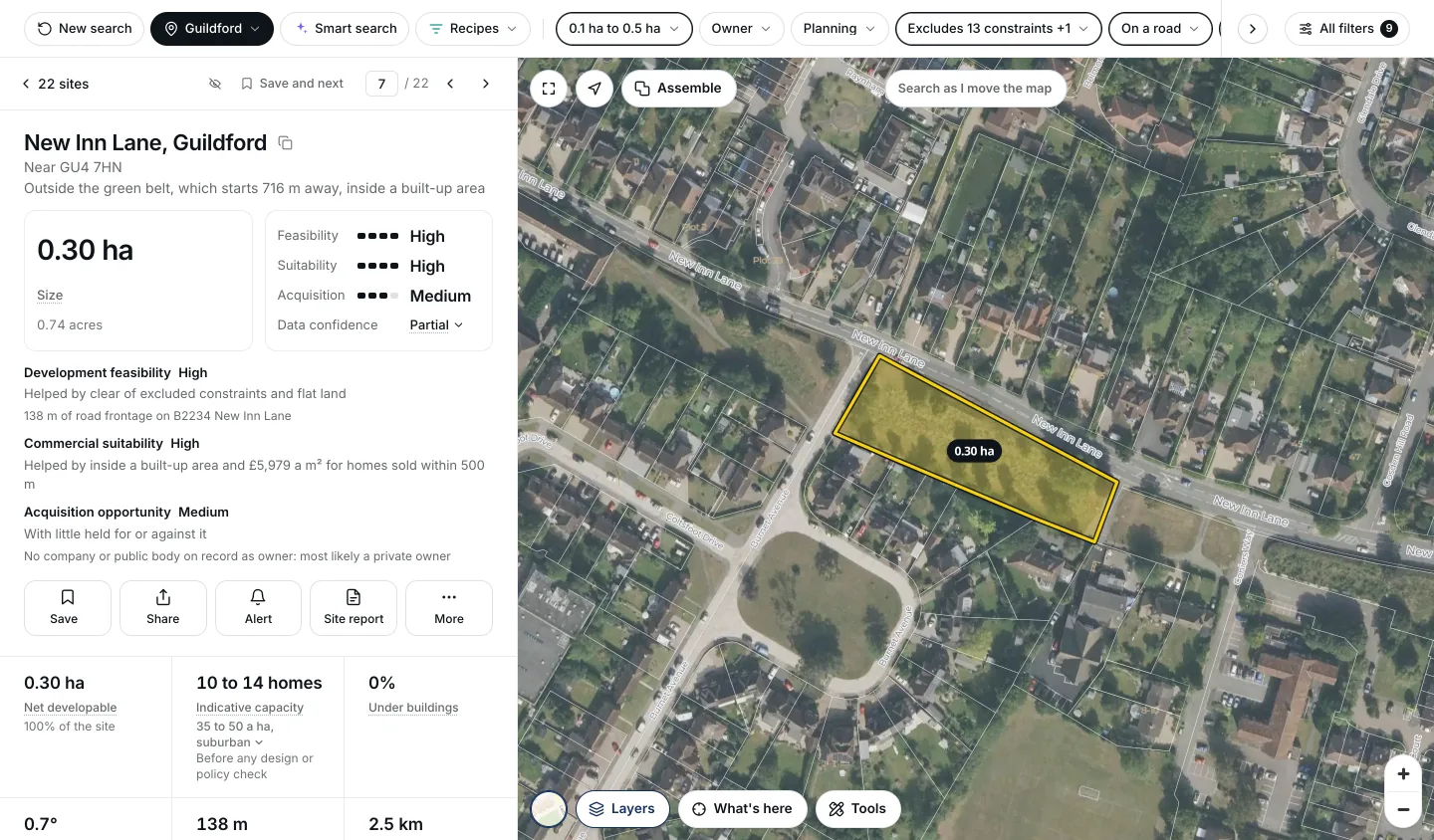
Solar is one example. Plain filters build any search. For a small housing plot: 0.1 to 0.5 hectares, no buildings, clear of excluded constraints, on a road, in or within 100 metres of a town or village, with no addresses on it and no road through it, where homes within 500 metres have sold for £5,000 a square metre or more in the last three years. In Guildford that found 22 sites when we ran it. One is 0.30 hectares of open grass with 138 metres of frontage on New Inn Lane, inside the town, where nearby homes sold for about £5,979 a square metre; the site view puts it at 10 to 14 homes, as an estimate.
The results and the map
Shows 1. Search before you sign up and 3. Works in a field, not just at a desk
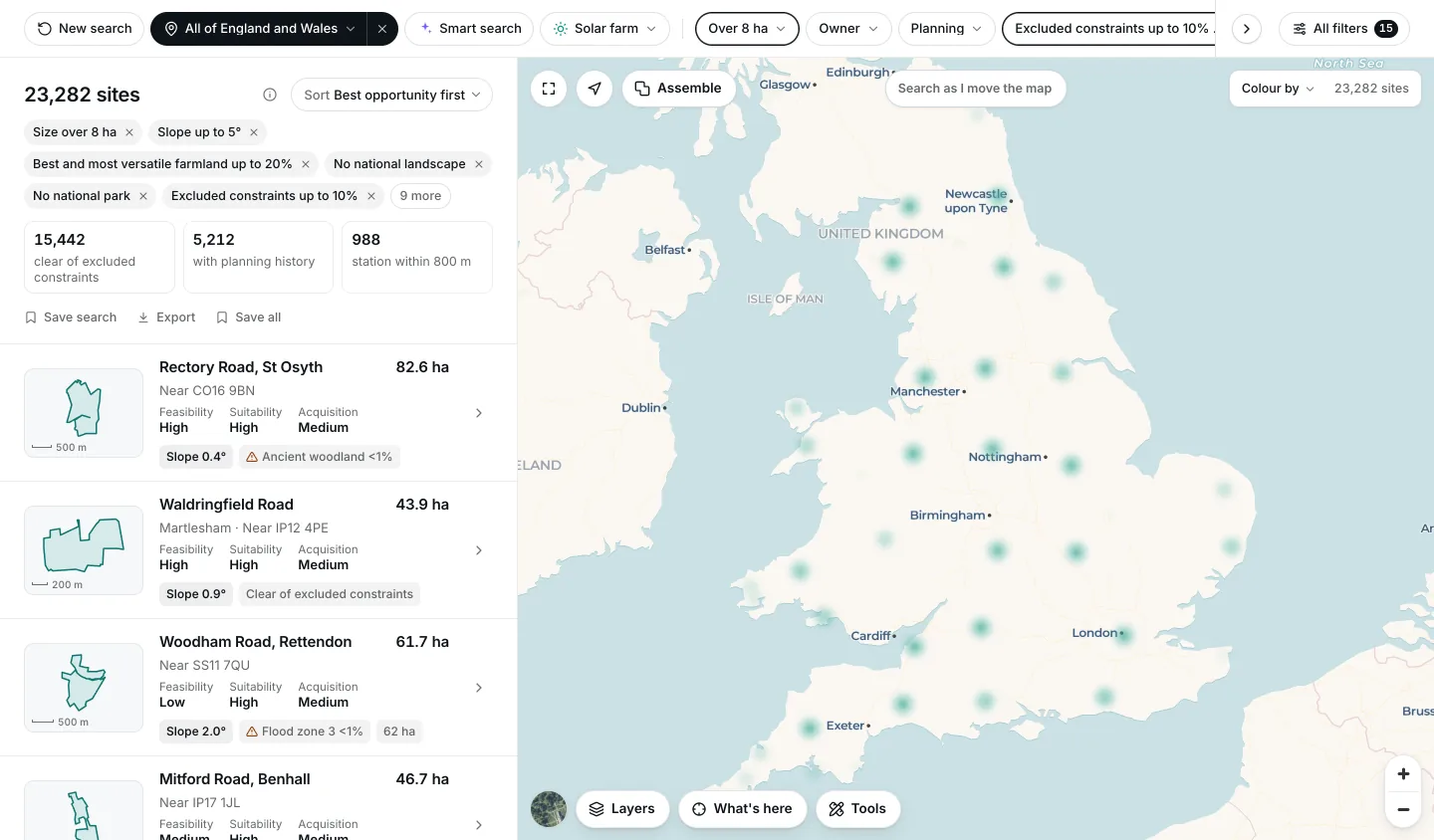
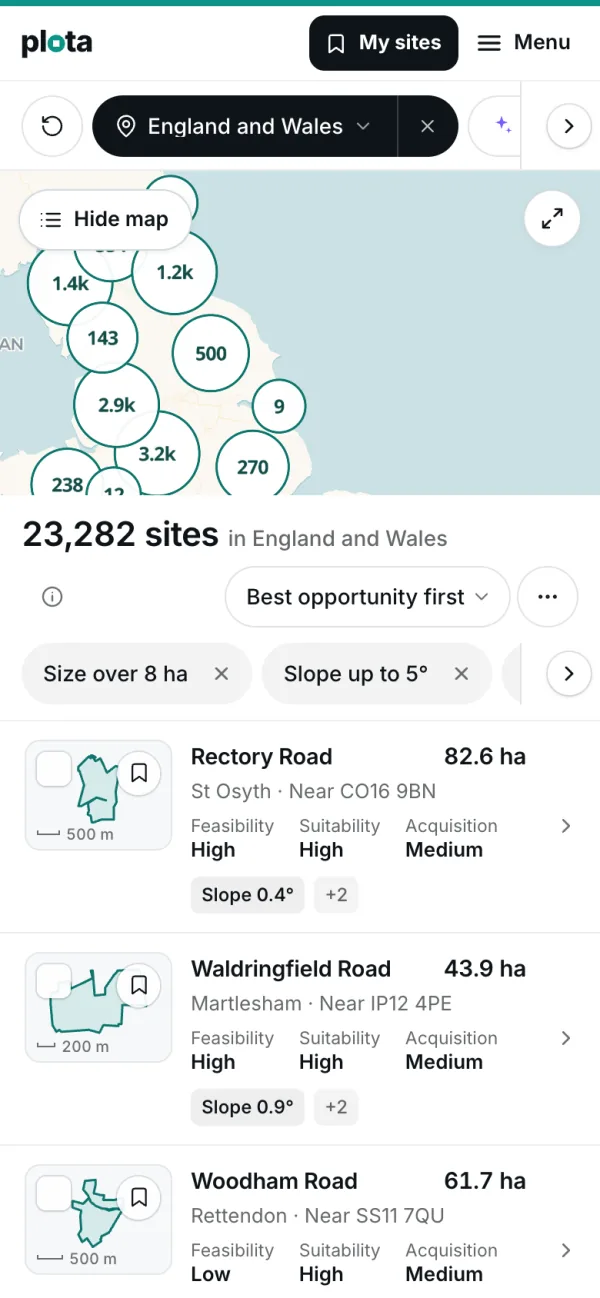
The list puts the strongest opportunities first. Each row gives the site's size, where it is, its three ratings in words and the facts that matter for the search, and above the list are counts of how many are clear of constraints, have planning history or are near a station.
The map shows every match. Move it and the list can follow; colour the sites by size, slope, price or any other measure; switch to aerial photography; or use the tools to draw an area, measure a travel time, show the planning applications nearby or label who owns each parcel.
Layers and constraint switches
Shows 10. Every figure shows where it came from
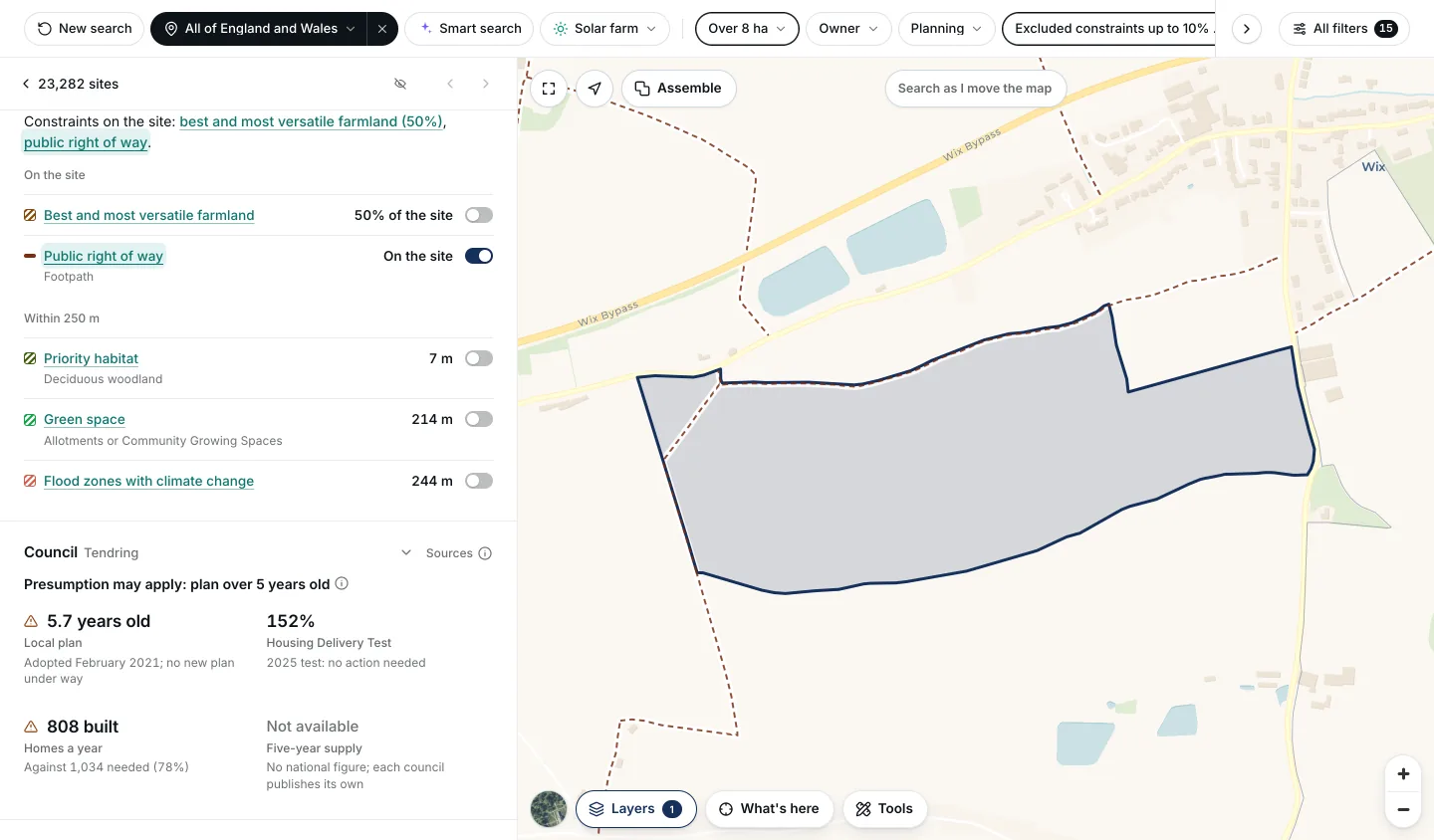
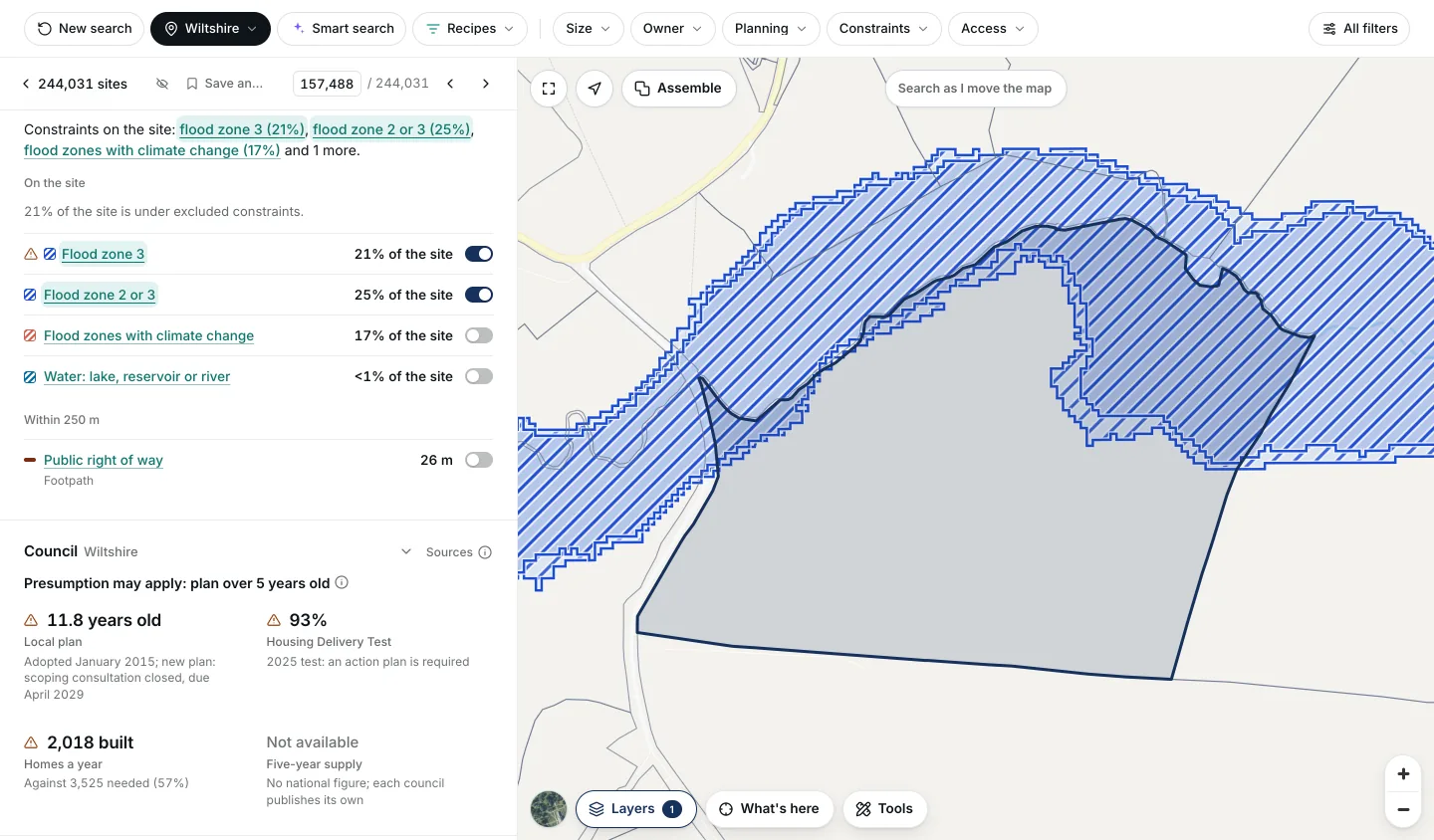
Plota measures each constraint as the share of the site it covers, not a yes or no. A site with 3% of its area in flood zone 3 is not treated like one under water, and a recipe can allow a sliver while ruling out the rest.
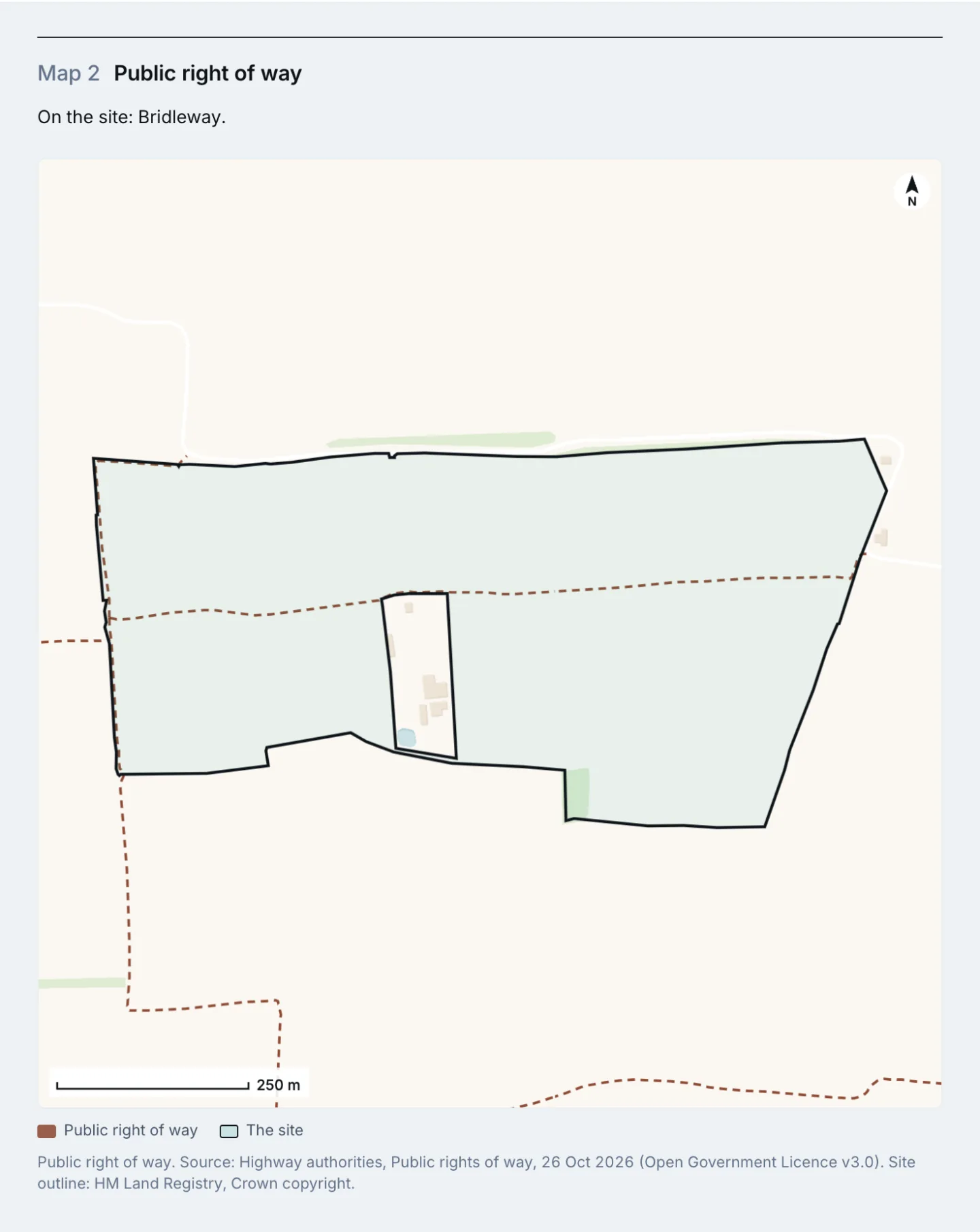
Every constraint listed on a site has a switch beside it that draws that layer on the map, hatched in its own colour, with the site's outline kept on top. The Layers panel holds all 76 layers: flood zones, green belt, conservation areas, listed buildings, scheduled monuments, protected landscapes and habitats, farmland grades, and more.
One site, in full
Shows 6. Grid capacity, no upgrade needed and 7. Planning history, included
Open a site and everything about it is on one page. Each site gets plain-word ratings, from High to Very low, for how buildable it is, how well it suits your use and how easy it may be to buy, each with the reasons behind it.
Anything that would decide a rating but is not known yet, such as the grid connection or grey belt status, is listed so you know what to check, and it holds the rating back rather than being assumed fine.
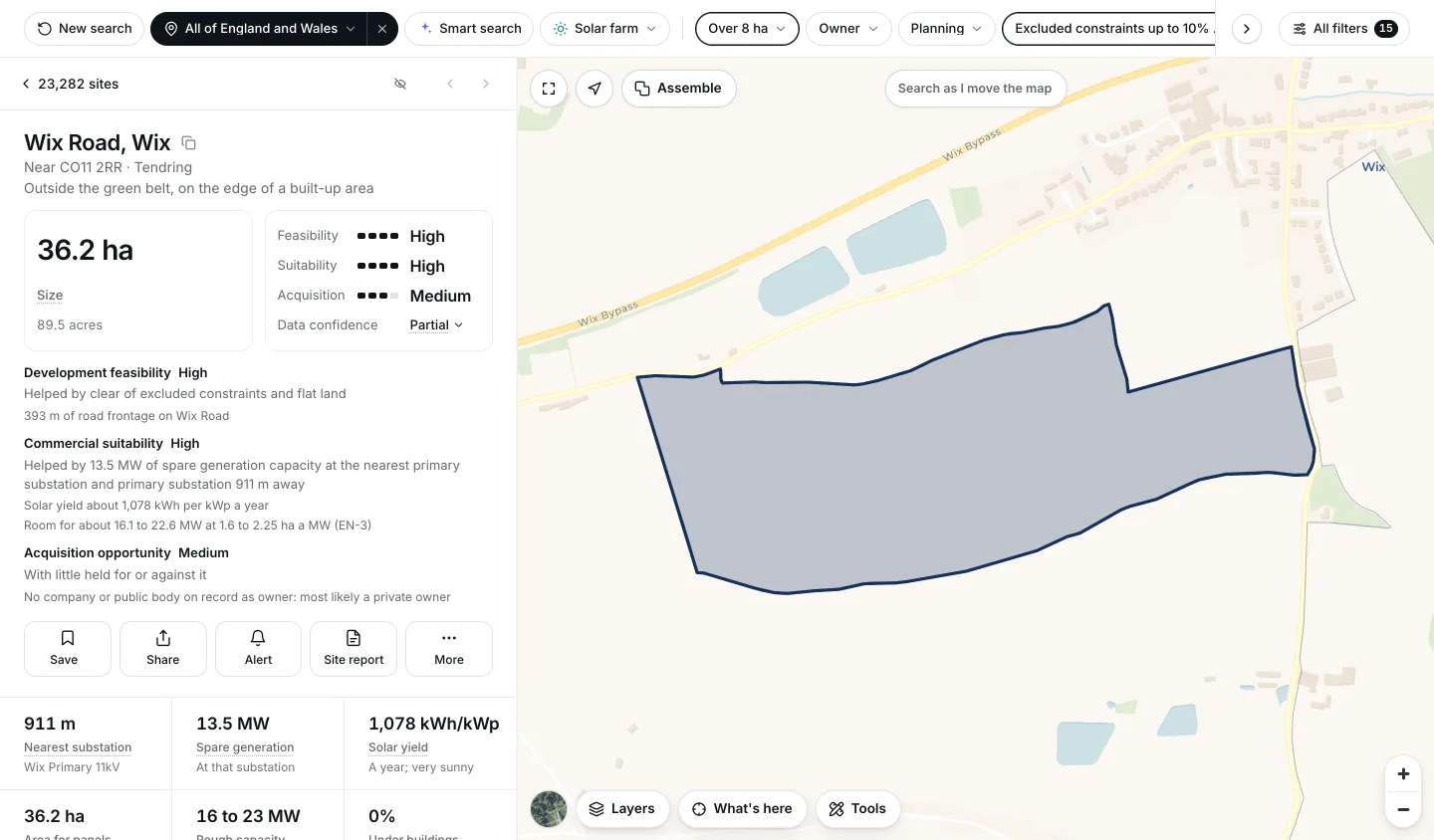
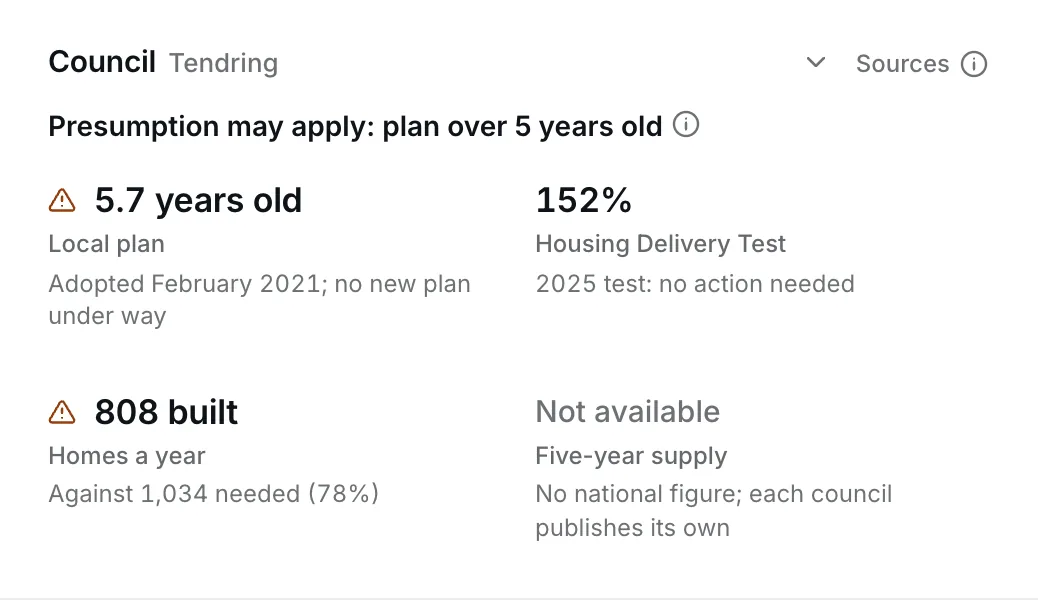
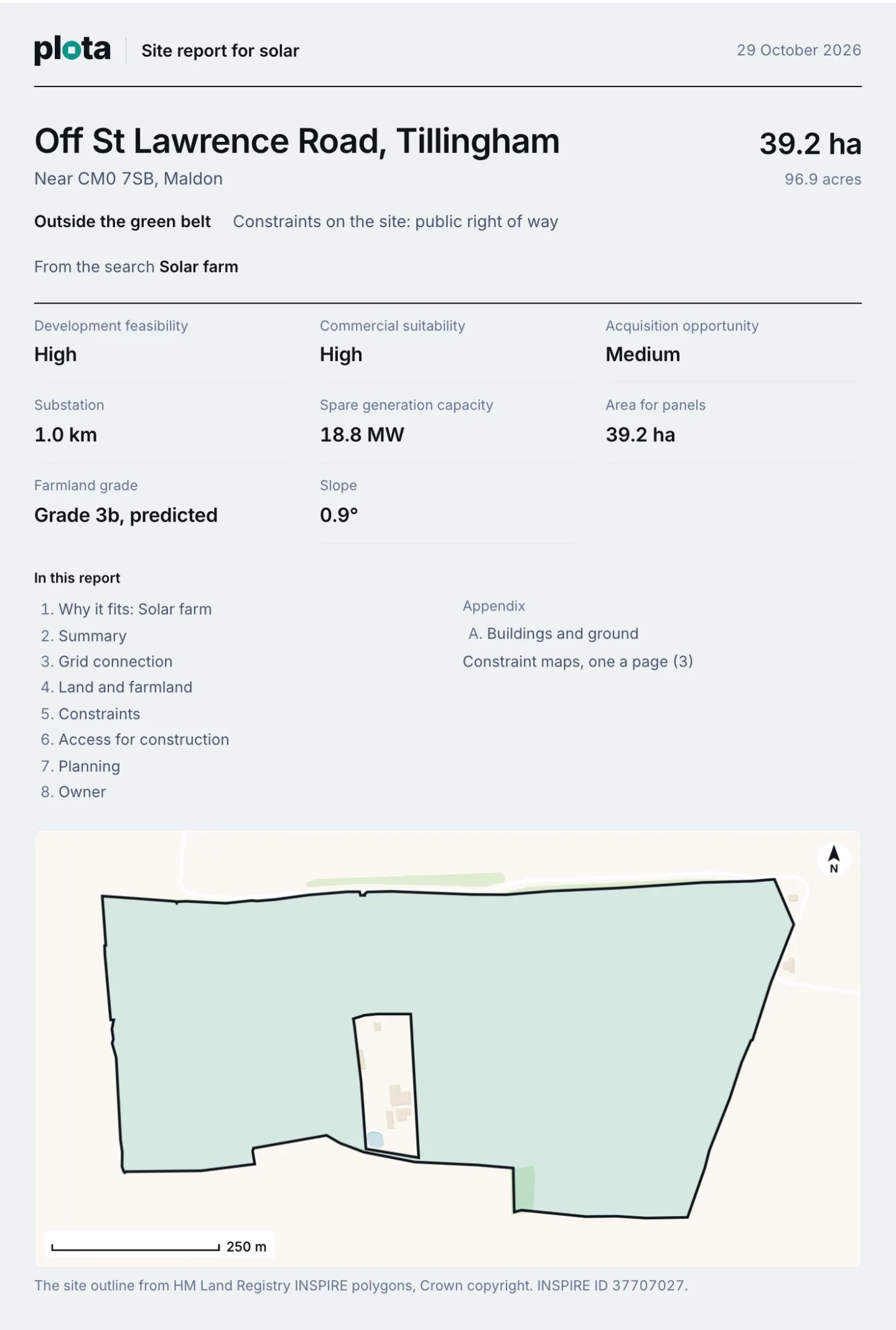
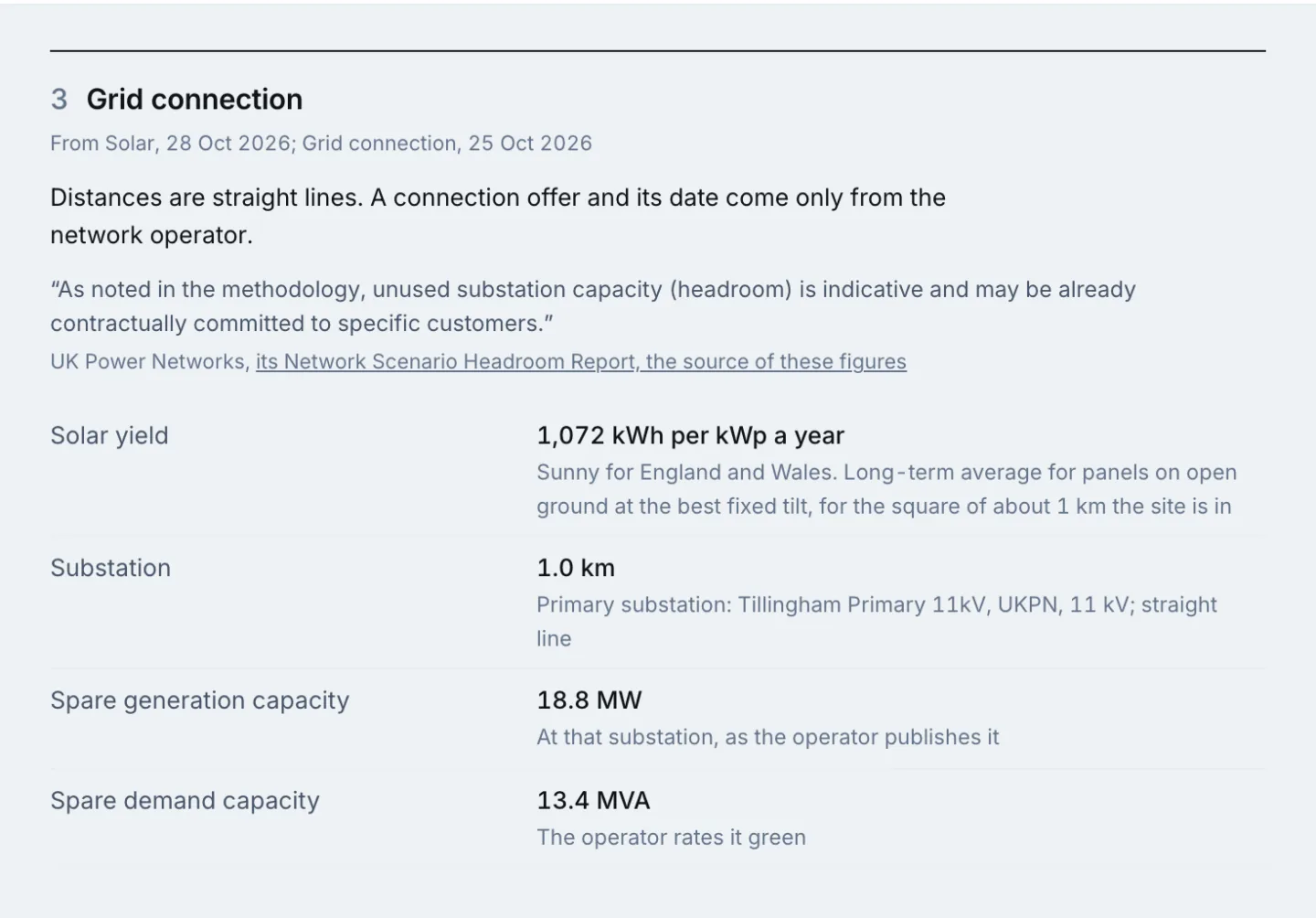
Below them, for an energy search, are the nearest primary substation (held for almost every parcel) and its spare capacity wherever the network operator publishes it, the area clear for panels and a rough capacity in megawatts, given as a range. For housing, the figures are the homes the land might take, labelled as an estimate. Then the planning on and around the site, the constraints, the council's position on housing land, and the local market.
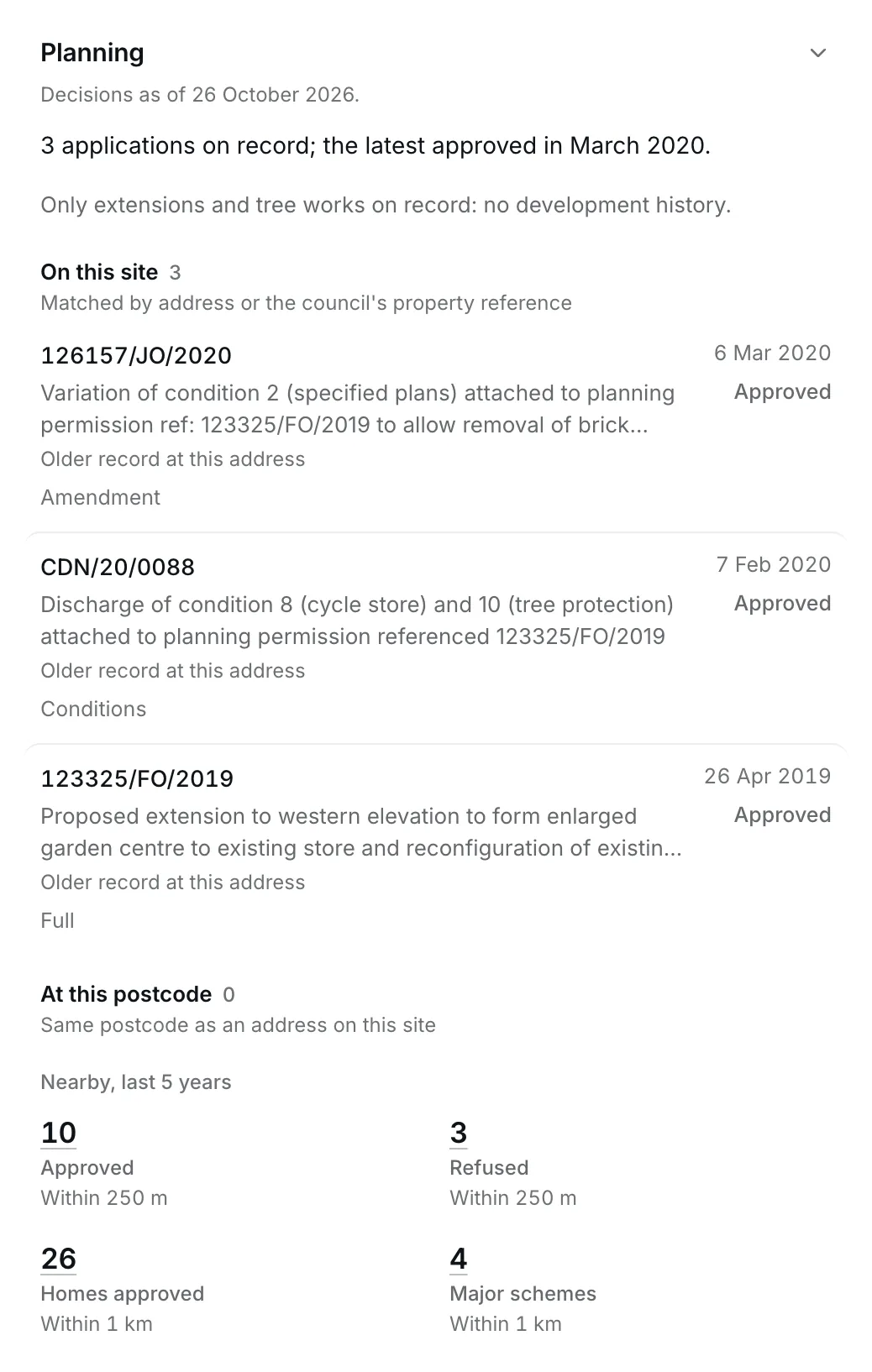
Planning applications on and around the site are grouped as on this site, likely on this site and nearby. Each one links to the council's own register.
Beside planning, Plota holds premises licences and applications from the councils' own registers: alcohol, late-night refreshment and gambling, and HMO licences too. They are in Plota's licensed premises search rather than the site view.
The site report
Shows 10. Every figure shows where it came from
Every site has a report you can print or save as a PDF, set out for the search you came from. A solar report leads with the grid connection and the land; a housing report with the homes estimate, the planning history and the council's housing position. Its last pages list every source, with the date each was last updated.
Who owns it
Shows 10. Every figure shows where it came from
Most development land is never advertised. Finding off-market land means knowing who owns a site so you can approach them directly.
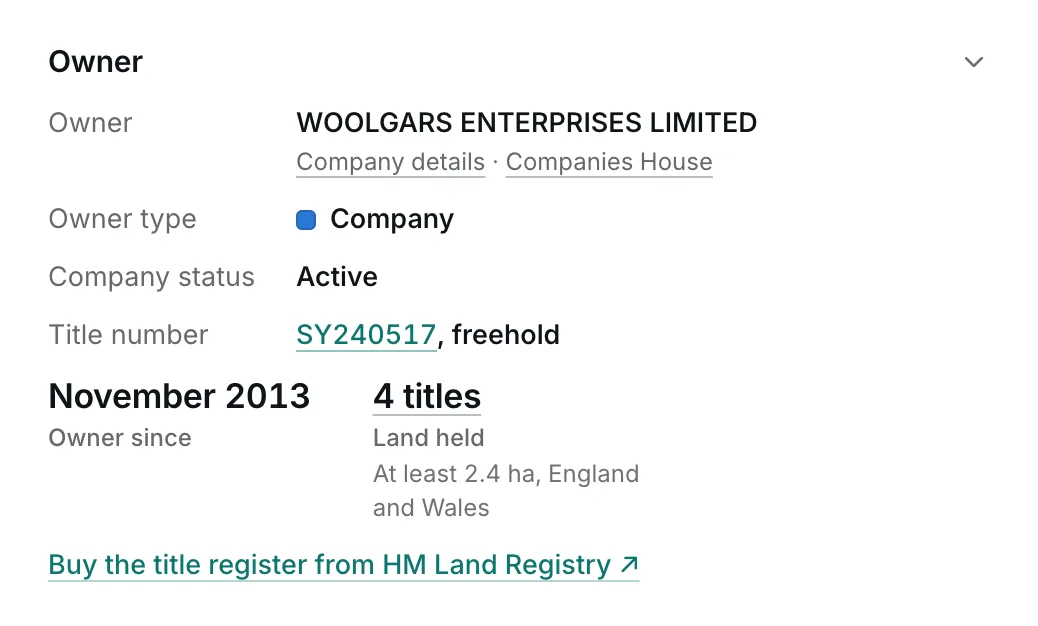
Where the owner is a company or public body, Plota Sites shows it: the type of owner for every site, and on paid plans the company's name and number, its registered office and its other land in England and Wales.
Private owners are different. Their names are in no published dataset; they appear only on each title's register, which HM Land Registry sells for £7. That is the same for every land platform, so a tool that shows a private owner's name has either bought that title or is guessing. Plota Sites links each site to HM Land Registry's map search so you can buy the register yourself.
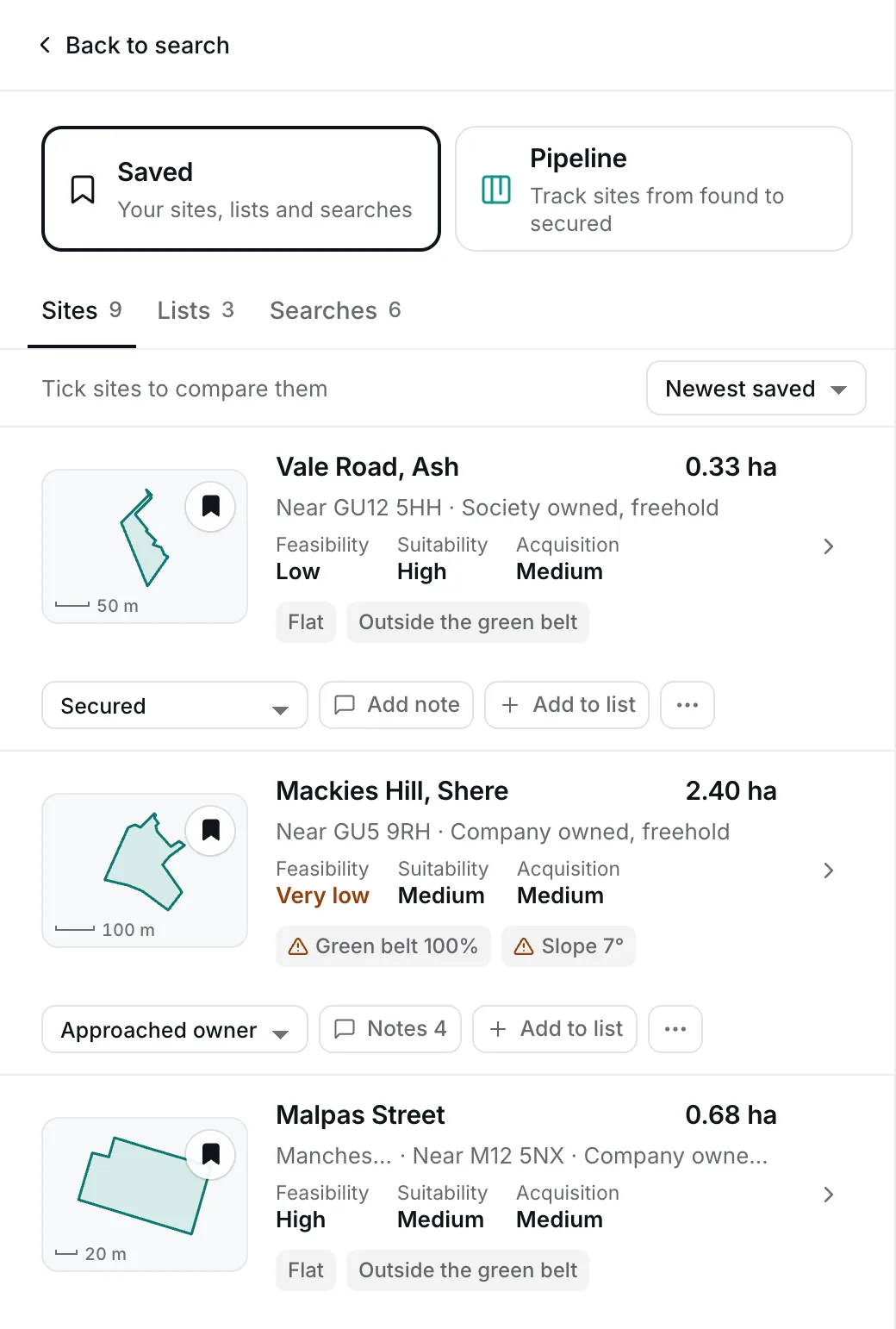
Saving sites and lists
Shows 2. Free to search
Save any site, give it a stage and a note, and tick two to six sites to compare them side by side. Saves are kept in your browser until you sign in, then move to your free account, up to 500 sites.
- Lists of your own. Up to 20 private lists, such as a client shortlist or next week's visits; each opens as its own results.
- Share a site. Copy its link, email it, or use your phone's share sheet.
- Share a search. A search is its link: send the address and the other person sees the same filters.
- Copy for AI. A site's facts as plain text with their sources, ready to paste.
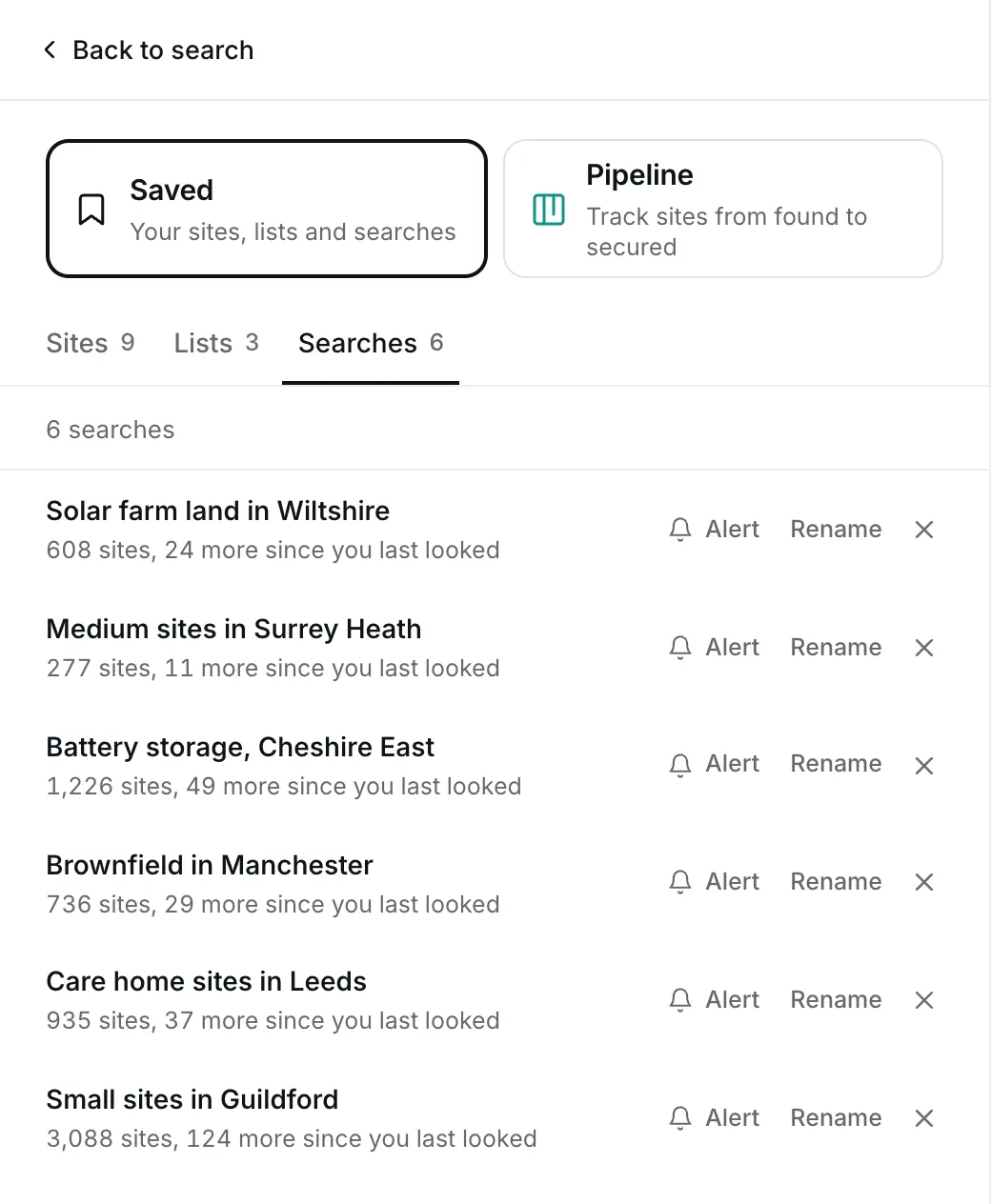
Saved searches and alerts
Shows 4. Saved searches that show what is new
Save up to 50 searches and come back to them. Each says how many sites have appeared since you last looked, and the new ones are marked New in the list and on the map.
The pipeline
Shows 9. Your whole team, no per-seat bill
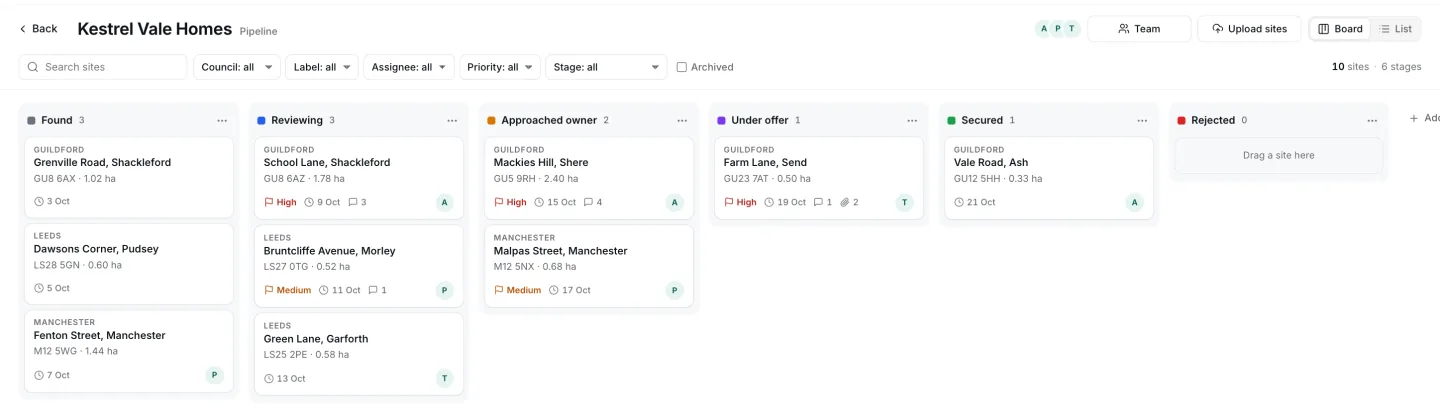
The pipeline tracks sites from found to secured, on one board your team shares. An exported spreadsheet is out of date the day it is sent; the board stays live.
- Your own stages. Rename, add, recolour, reorder or delete them, up to 12.
- Move cards. Drag them between stages and within one, or use the keyboard.
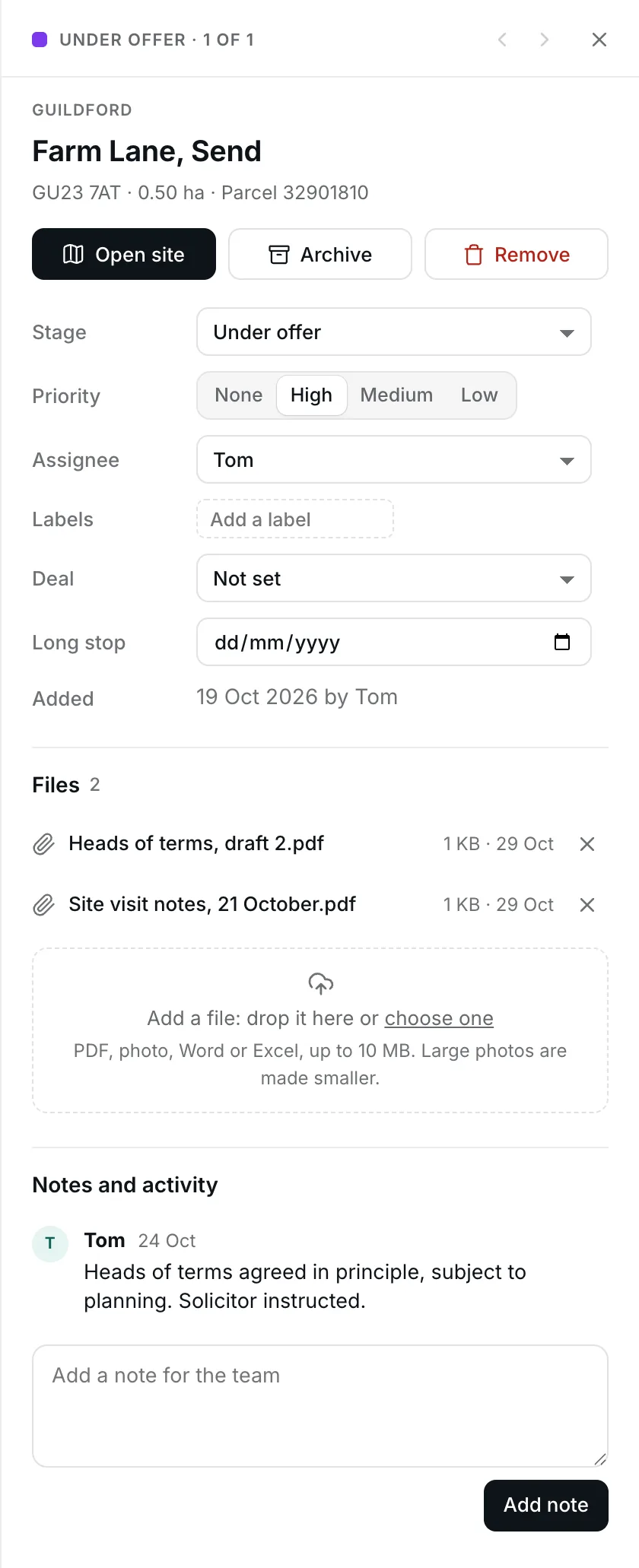
- On each card. Priority, assignee, labels, deal type and long stop date.
- Notes. Notes on each site for the team, with moves and assignments logged beside them.
- Files. PDFs, photos, Word and Excel files, up to 10 MB each.
- Upload a list of sites. From a spreadsheet, KML or GeoJSON, matched by parcel, address, postcode, point or outline, and checked before they are added.
- Find a card. Search the board, and filter by council, label, assignee, priority or stage.
- Board or list. In the list, tick several cards to move, assign or archive them together.
- Archive. Put a site away and bring it back later.
- Open the site. Any card opens the site's full view, and you can step through a stage's cards.
Working as a team
Shows 9. Your whole team, no per-seat bill
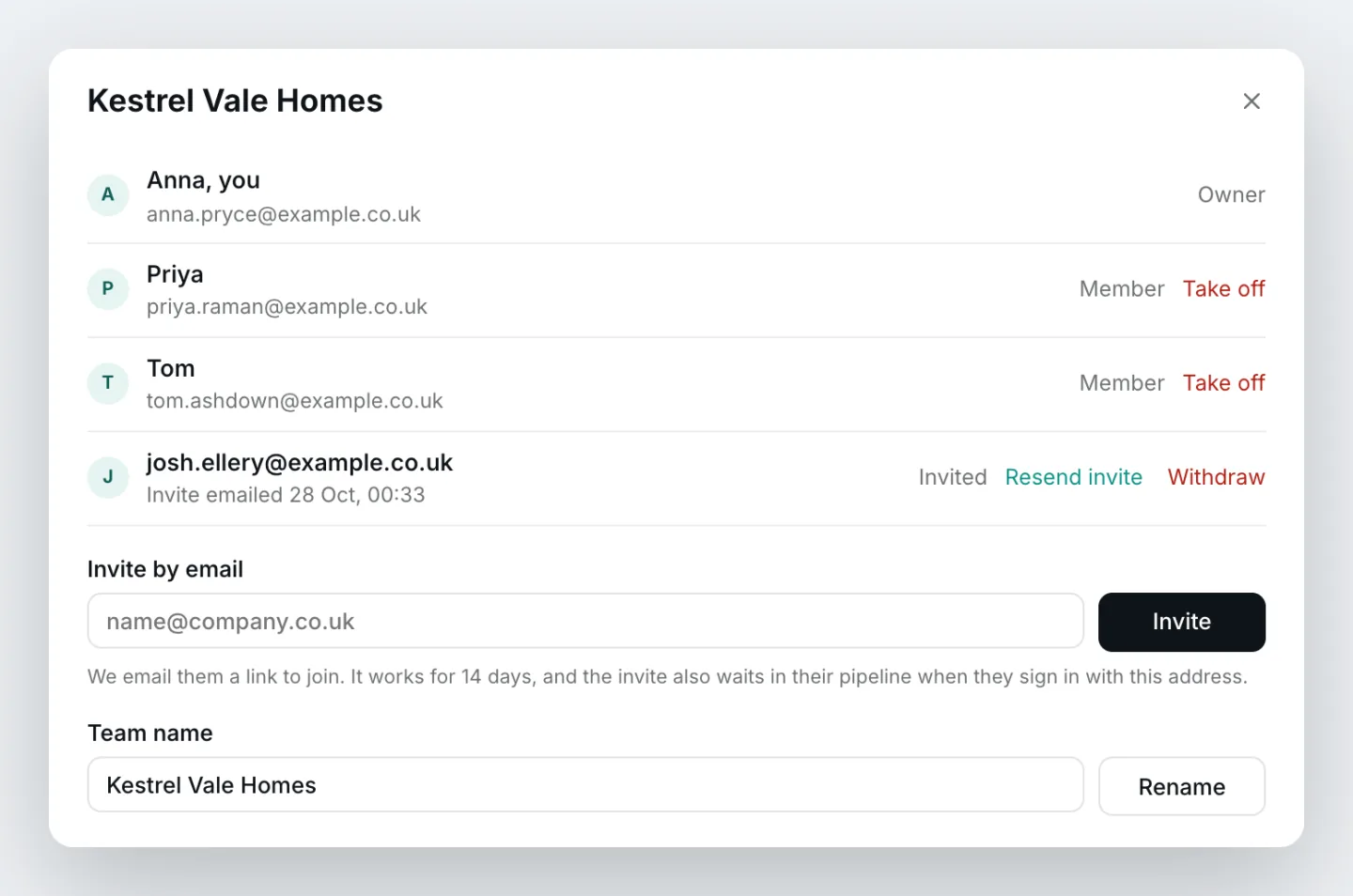
Make a team and invite colleagues by email. The invite link works for 14 days and the invite also waits in their pipeline; until it is answered it can be sent again or withdrawn. A team holds up to 20 people. Today there is no charge for each person you invite.
The team shares the board, its notes and files, and every member's saved sites, which appear on it as cards. Each person's lists, saved searches and alerts stay their own.
Exports
Shows 2. Free to search
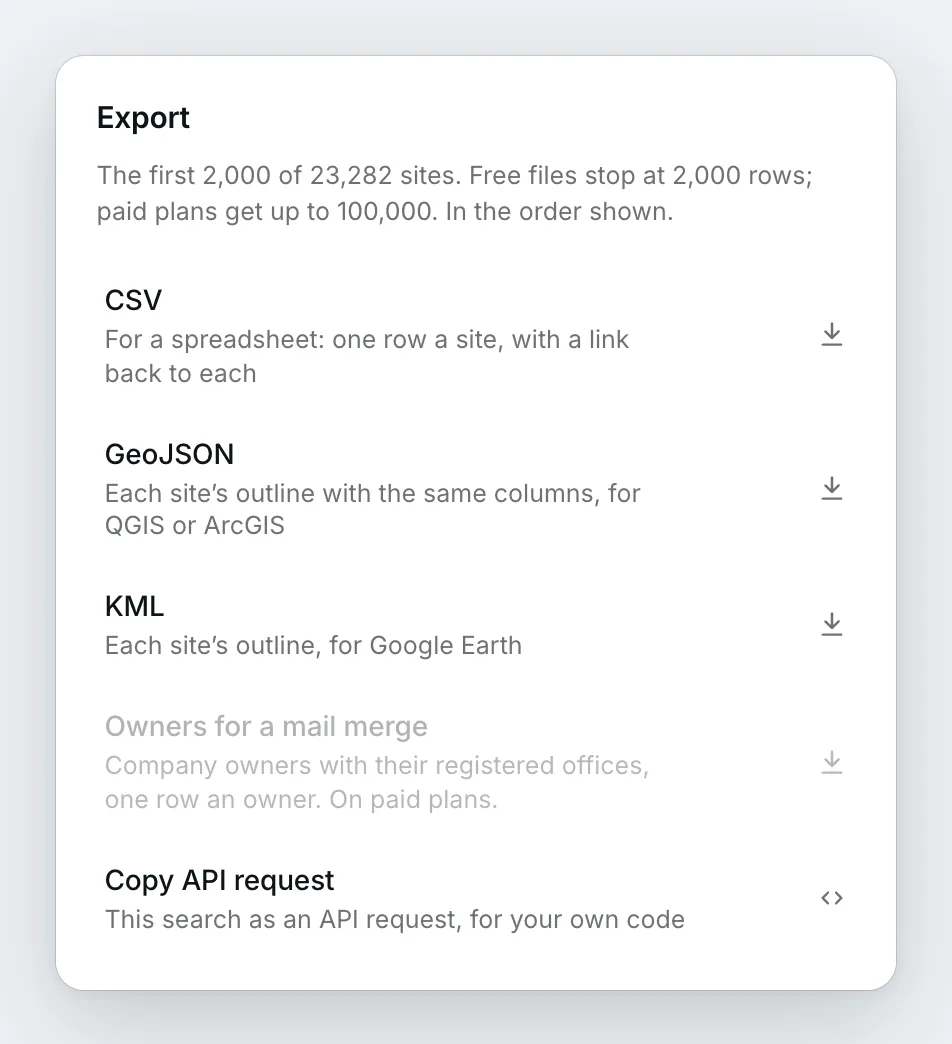
Any search can be downloaded as a spreadsheet (CSV), as GeoJSON for GIS, or as KML for Google Earth, each row linking back to the site on Plota. Free downloads take up to 100 sites at a time; on a paid plan a download draws on your API allowance and can add the company owners with their registered offices.
On a phone, on the site
Shows 3. Works in a field, not just at a desk
On a phone the land search fills the screen: the map as a strip above the results, a tapped site's card first, and the same full site view, constraint switches and report as on a desk. It is built to be used standing at the field gate.
Where the data comes from
Shows 10. Every figure shows where it came from and 7. Planning history, included
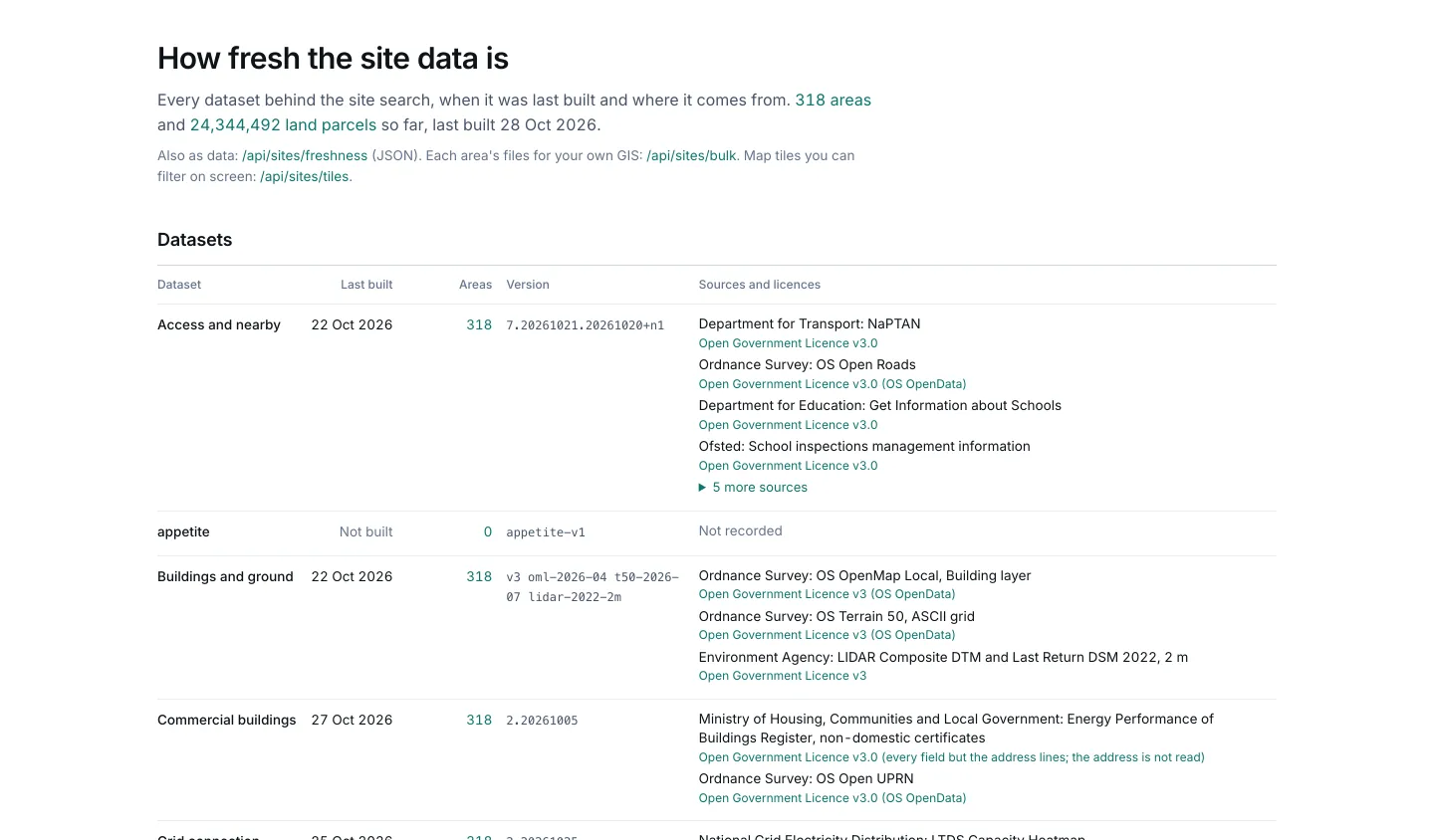
Every one of the land parcels in England and Wales is measured against hundreds of factors, from planning constraints and the grid to transport, buildings, terrain, prices and planning history, and kept current as the sources change. The planning history is Plota's own, read from more than 380 council registers every day, and it ties each site to what has been applied for on it and around it.
The raw material comes from HM Land Registry, Companies House, Ordnance Survey, the Environment Agency, Natural England, Natural Resources Wales, Cadw, the Ministry of Housing, Communities and Local Government, the Office for National Statistics, the six electricity distribution network operators and the energy performance certificate register.
The data page lists each dataset with its sources and licences, when it was last built and the councils it covers. On a site, Sources opens the same for each section. A figure that is an estimate, such as the homes a site might take, a rough capacity in megawatts or a farmland grade predicted from soil maps, says so, and where nothing is held the site says so rather than showing a zero.
What is free, and why
Shows 2. Free to search and 9. Your whole team, no per-seat bill
Free, with no trial: every search, filter and recipe, the smart search, the map and its layers, and every site's view and report. With a free account: saving, lists, saved searches, the pipeline and a team.
Paid: company owner names and their other land, downloads of more than 100 sites, the company owners file, and the API for using the data in your own systems.
Plota Sites and Plota's other public tools are paid for by its API and data customers. There is no advertising, and we do not sell what we know about the people who use it.
Try a search
Describe the next site you are looking for and see what comes back. It takes a sentence, and there is nothing to sign up for.
Seat prices are the list prices published by the main land sourcing tools in 2026. Parcels: HM Land Registry INSPIRE Index Polygons © Crown copyright and database rights 2026.