Until now, a Plota application page gave you the essentials - the address, the proposal, the dates we held, a map - and a link to the council for everything else. Has it been decided? What's been submitted? For that, you were back in the portal.
We've rebuilt the application page. It now covers the whole application, from the day it arrives to the decision, and everything filed along the way.
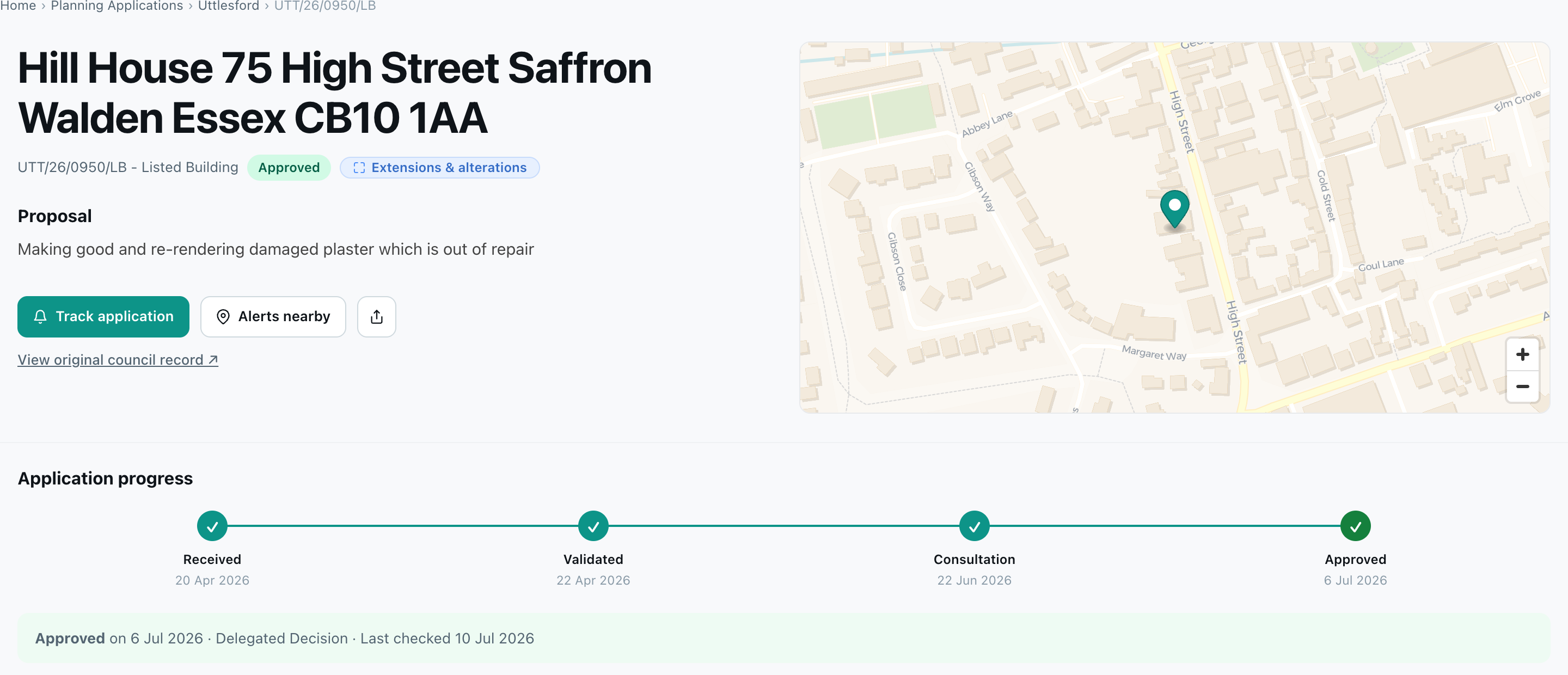
The decision, and how it got there
Each page opens with the outcome - approved, refused, withdrawn, or awaiting decision - and an Application progress timeline built from the dates on the council record: received, validated, consultation, decision. Decided applications show the decision, the date, and how it was made (delegated or committee). Refusals that go to appeal are followed too, and if an appeal is allowed the outcome updates to match.
While an application is open for comments, the page shows the deadline with a direct link to have your say before it closes.
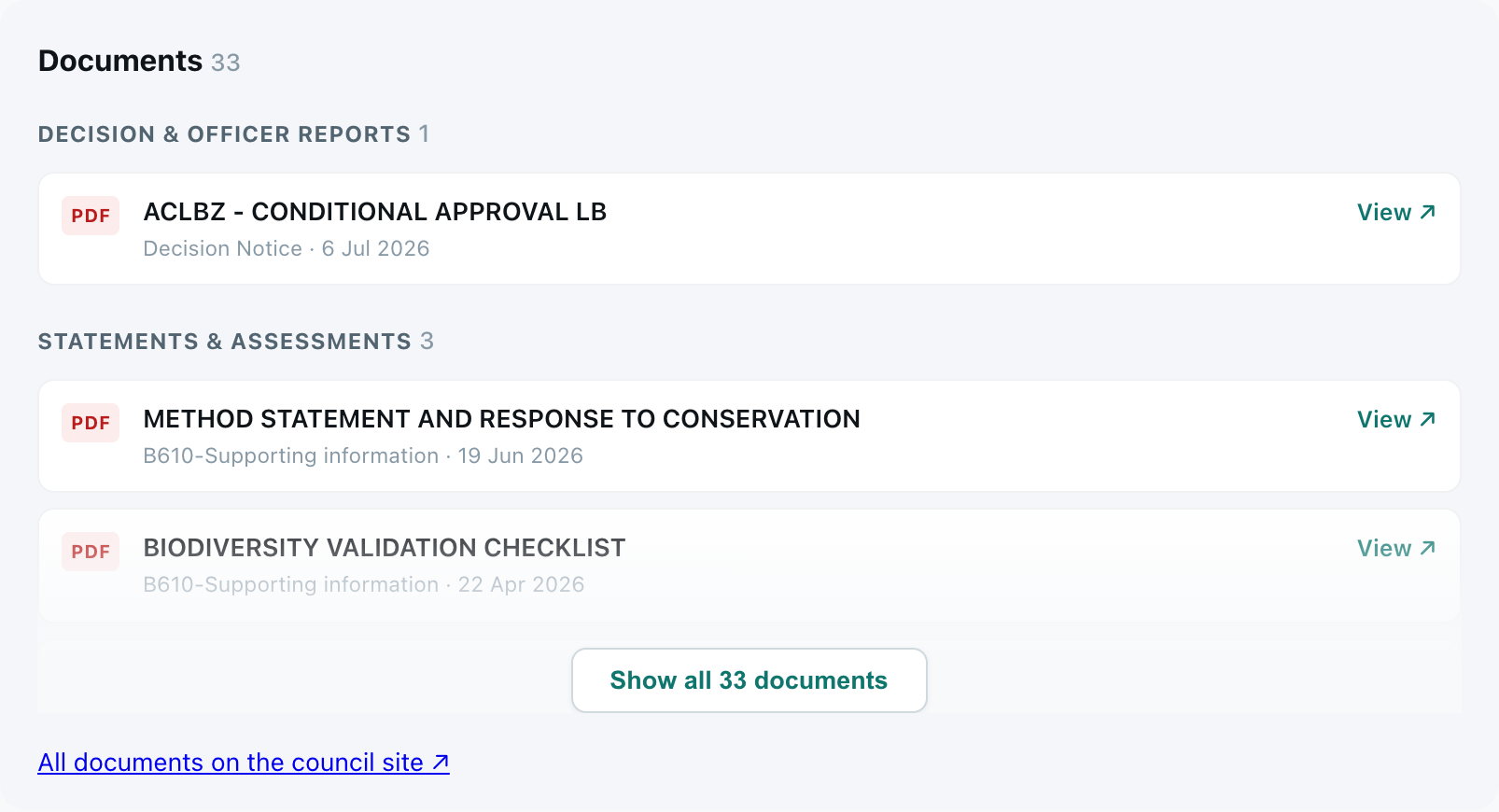
The documents
Most of the detail in a planning application sits in the paperwork. The page now lists the documents, grouped by type - decision notices and officer reports, statements and assessments, plans and drawings, application forms, and consultation responses - each linking through to the file on the council's register.
The details that used to mean a portal trip
Alongside the documents sits an Important details panel - ward, parish, case officer, target decision date, decision level, applicant, and agent - plus a Consultation & key dates panel with the consultation window and related references.
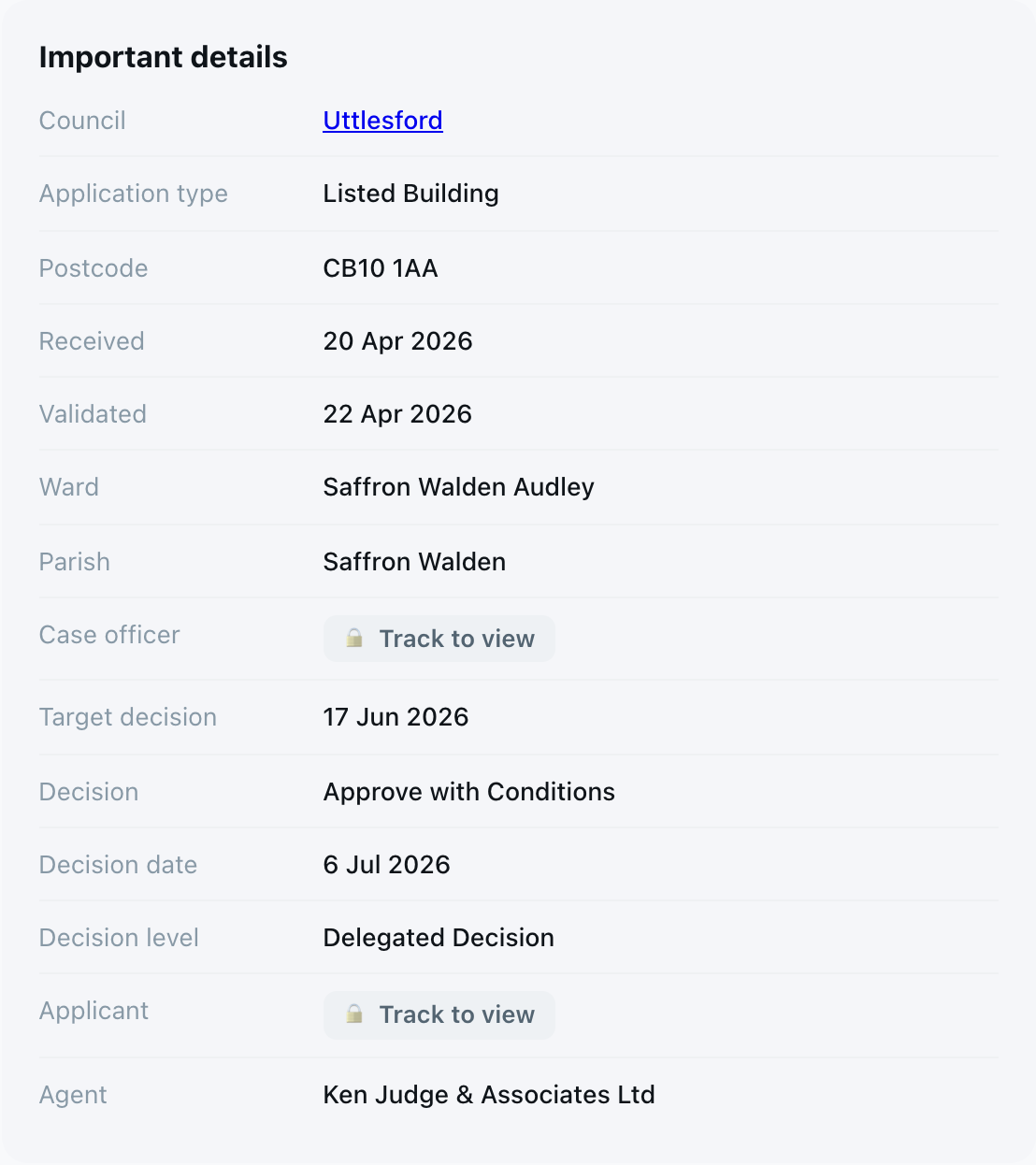
One deliberate choice: where the applicant or case officer is a named individual, the name is never published on the page. It sits behind a locked Show pill instead - signing in with a free account reveals it. Businesses and organisations show in full.
Kept current, automatically
Statuses move, documents arrive, decisions land. Plota re-checks open applications on a rolling schedule - as often as every day when a decision is due - and each page shows when it was last checked. Once decided, the page keeps the final record: the outcome, the decision notice, the full document set.
Track any application
Press Track application on any application page and Plota watches it for you. Choose what to hear about - status changes, the decision, new documents - and we email you the same day the council publishes it.
Everything you track sits in a Tracked applications tab in your My areas dashboard, next to your area alerts. There's a full guide at track a planning application.
Rolling out now
The new pages are live and rolling out council by council as each register is connected. If an application near you still shows the original page, it should gain the full version shortly. If you're a developer, the status and decision timeline behind these pages is available in the Plota API via GET /v1/applications/{id}/history.