My Areas has a new tab, My Home. Add your address once and it follows two things from then on: what is being planned around your home, and what you could build there yourself.
A home's last sale, its energy rating and its flood risk are easy to find. My Home puts them to work on the two planning questions a homeowner has: whether to comment on a neighbour's application before the deadline, and whether their own extension, loft or garden room is likely to be approved, and on what terms.
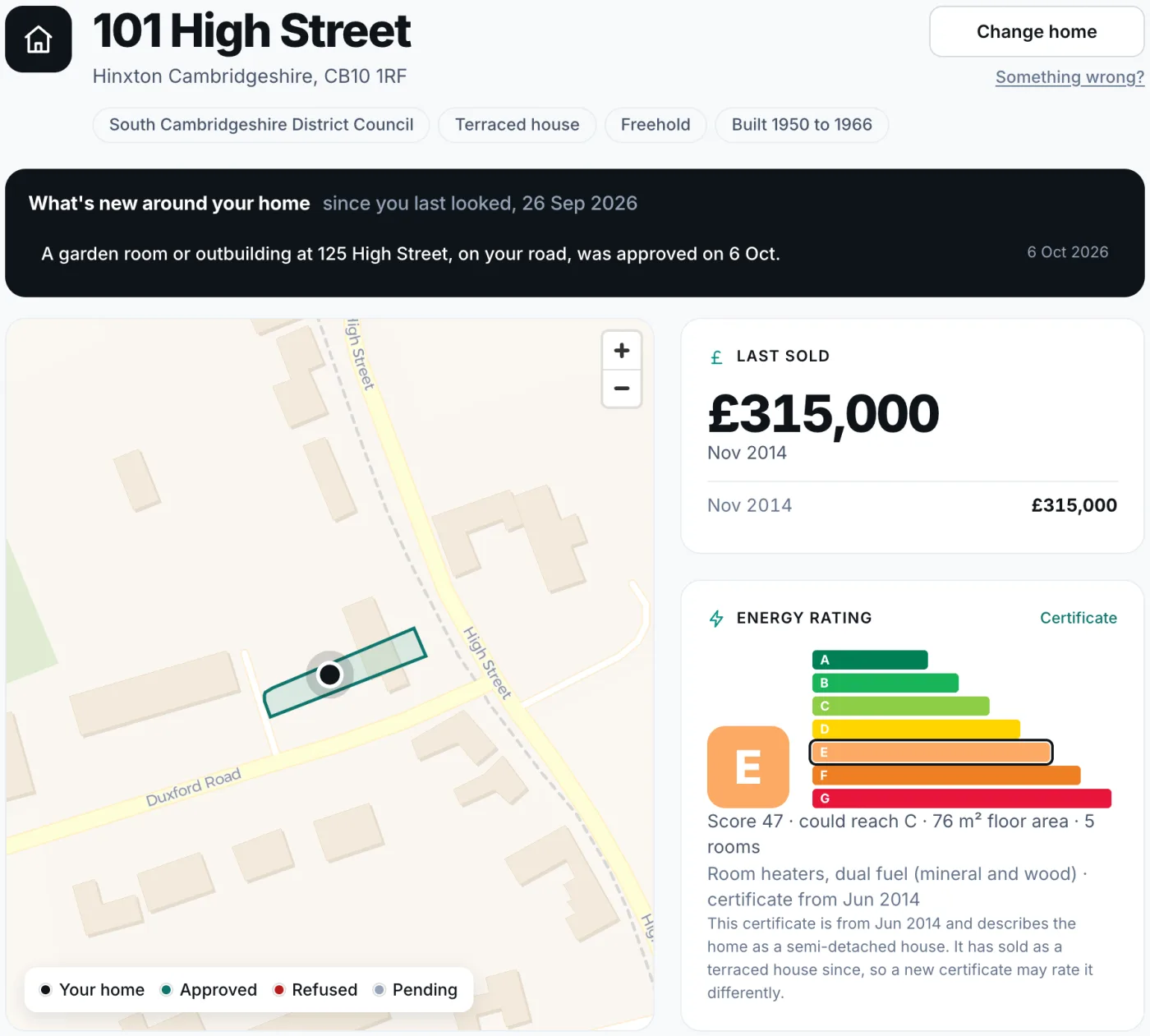
What is happening around you
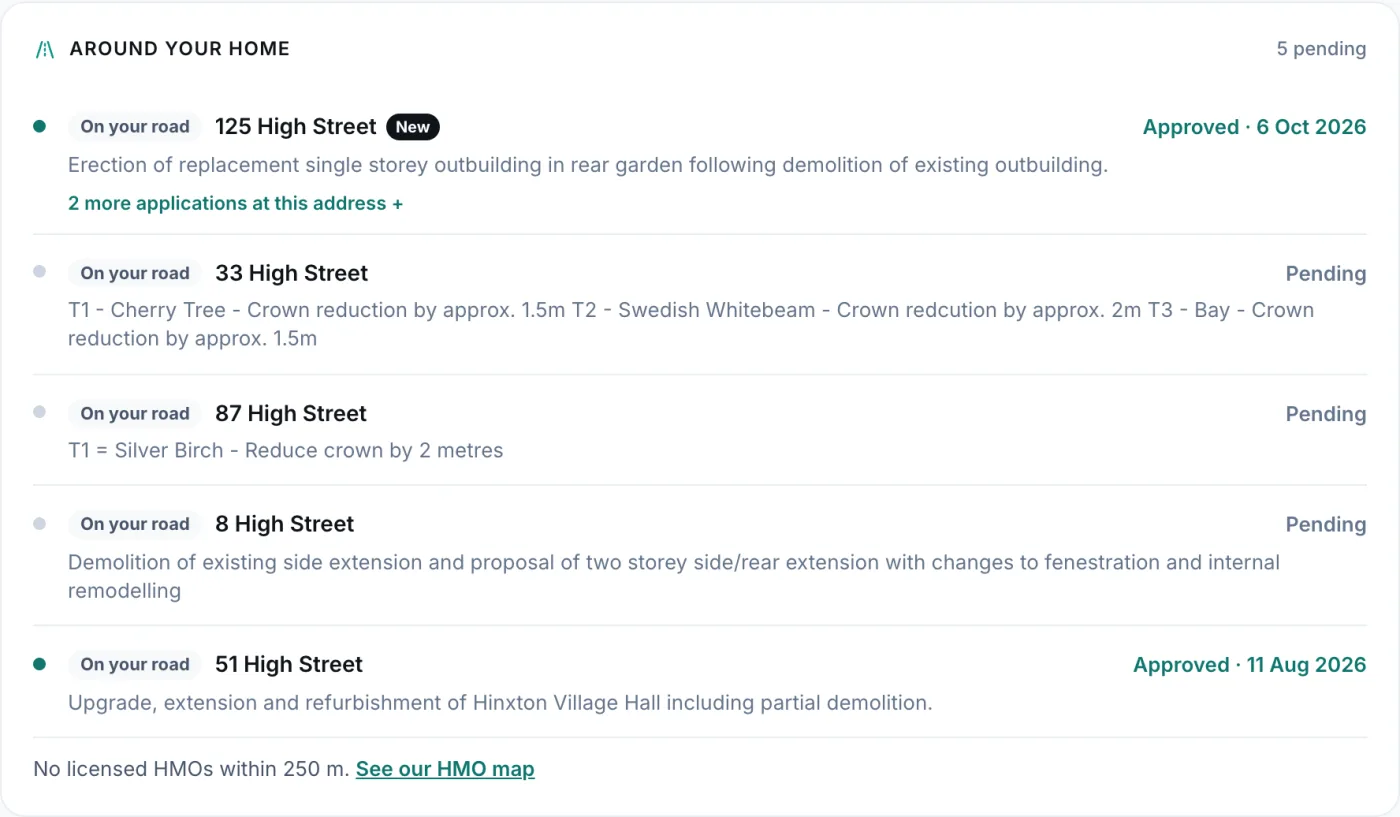
The tab opens on what has changed since your last visit. Around your home lists the applications on your road that are still undecided or were decided in the last three months, marked Next door, Opposite, Your building or On your road, with the date comments close and, where a committee will decide, the date of the meeting. When something new arrives, the My Home tab in My Areas shows a count.
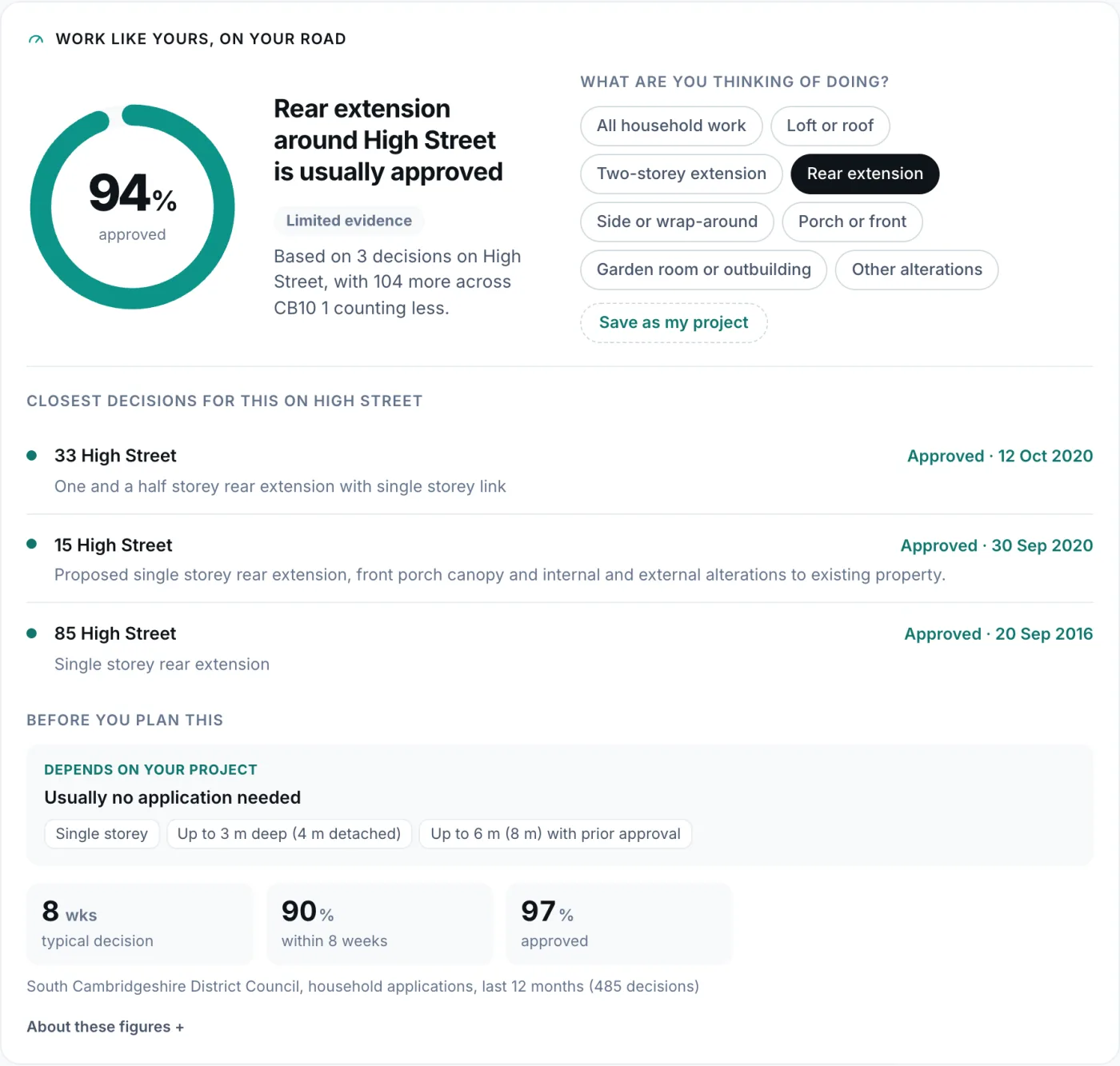
What you could build
Pick the work you have in mind, from a loft to a garden room, and Work like yours shows how often it has been approved on your road. It counts the road's own decisions first, adds the rest of the postcode area only when the road has too few, and says how strong the evidence is. For a rear extension on Hinxton's High Street it shows 94%, from three decisions on the road and 104 in the surrounding area, and lists the closest decisions beneath.
Before you plan says what changes at this home for that work: the usual permitted development limits, what a conservation area or an Article 4 direction takes away, listed building consent, a flood risk assessment in a flood zone, protected trees nearby, and an earlier extension that counts against the allowance. Each line is marked Confirmed, Check or Depends on your project. The council's own figures sit beneath: South Cambridgeshire decides a typical household application in eight weeks. Save the work as your project and My Home tells you when the same kind of work is decided on your road.
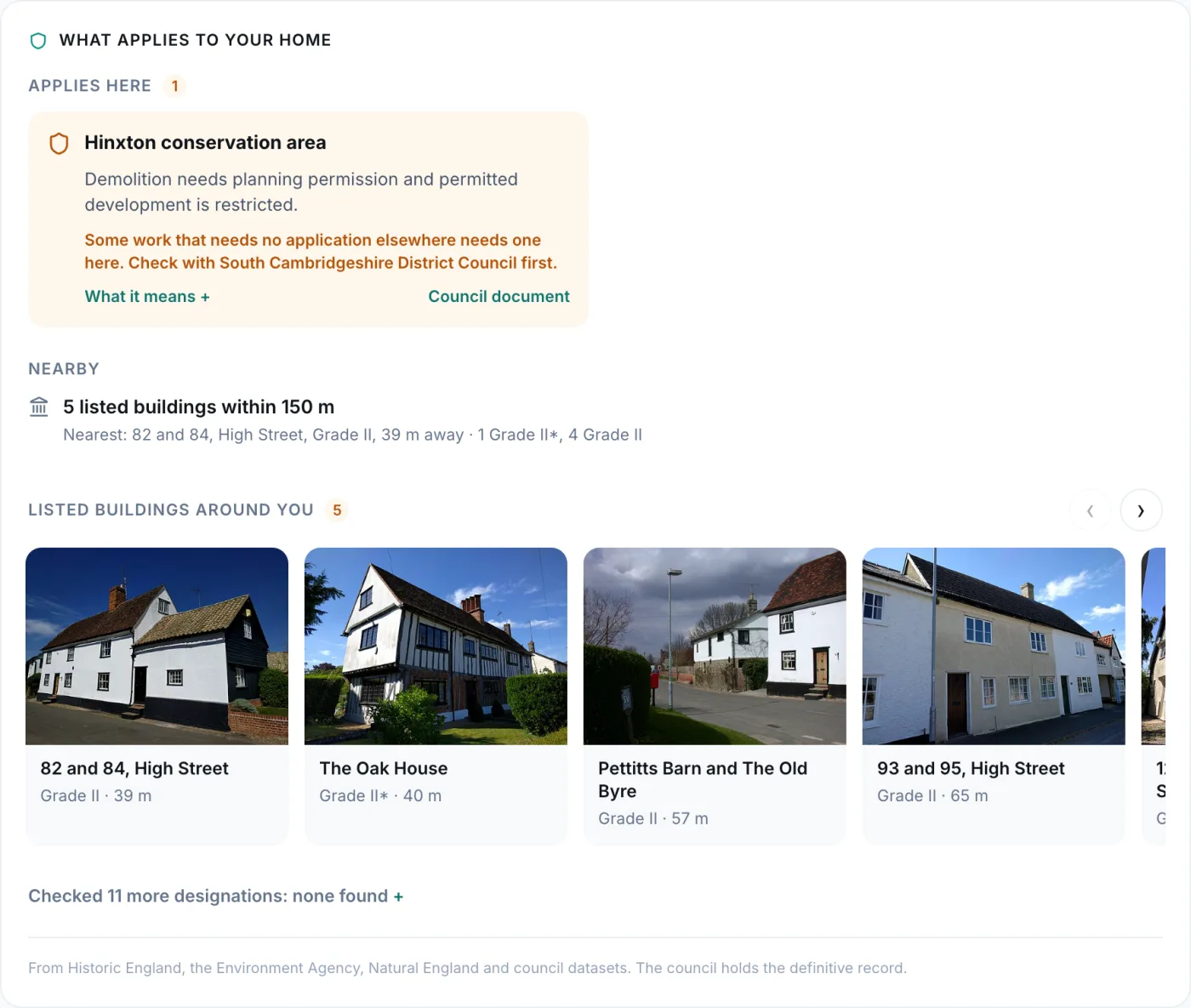
What applies to the home
What applies to your home checks the address against every layer of the Plota planning map. 101 High Street is in the Hinxton conservation area, and the card says what that changes. Listed buildings within 150 metres appear with their photographs, where Wikimedia Commons holds one, their grade and their distance. The designations checked and not found fold into a single line.
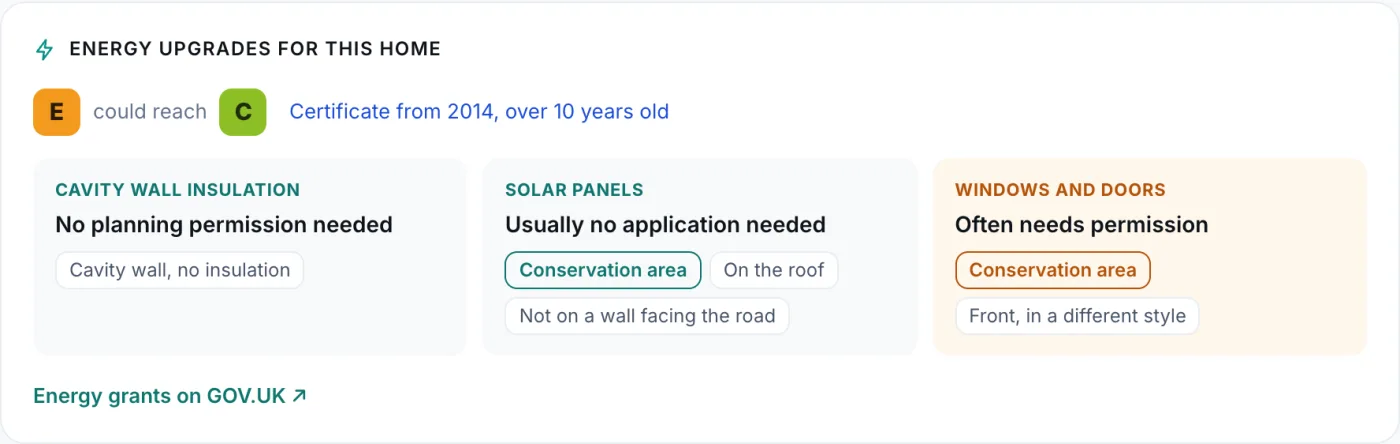
Energy upgrades reads the home's certificate and says which improvements need permission at this address. Cavity wall insulation at 101 High Street needs none. New windows at the front often do, because of the conservation area.
The home's history lists every application at the address and every sale. A flat sees every application at its building. Licensed shared houses on the road, and brownfield land and approved development nearby, have tiles of their own.
My Home is free for anyone signed in to My Areas with a personal email address. It works for homes across the UK; sale prices and energy certificates cover England and Wales.
Contains HM Land Registry data © Crown copyright and database right 2026. This data is licensed under the Open Government Licence v3.0. Energy performance certificates from the Energy Performance of Buildings Register, Ministry of Housing, Communities and Local Government, licensed under the Open Government Licence v3.0. Listed building photographs from Wikimedia Commons, credited on each.